Productivity
The Best Free Mac Cleaner in 2026 (And 7 Alternatives Worth Knowing)
The best free Mac cleaners are AppCleaner for uninstalling apps, OnyX for deep maintenance, and Pearcleaner for removing junk files. If you prefer the terminal, Mole is an all-in-one toolkit that cleans, uninstalls, and monitors your system — all for free.
As a former Windows user, I've always had a soft spot for a good cleanup - and on Mac, you don't need to spend a cent to do it properly. These free tools, many of them open-source, handle everything from clearing junk files to freeing up storage and keeping your system running smoothly. I've tested all of them. Here's what each one is actually good for.
Our Pick: OnyX If you just want one tool and don't want to think about it, use OnyX. It's been around since 2003, it's updated for every macOS version, and it handles the cleaning tasks that actually matter — cache clearing, maintenance scripts, and system file cleanup. It's not the flashiest tool on this list, but it's the one I keep coming back to.
| Tool | Best For | Interface | Free? |
|---|---|---|---|
| OnyX | Deep system maintenance | GUI | Yes, fully free |
| AppCleaner | Uninstalling apps cleanly | GUI | Yes, fully free |
| OmniDiskSweeper | Finding large files | GUI | Yes, fully free |
| Maintenance | Quick basic cleanup | GUI | Yes, fully free |
| Pearcleaner | Removing junk and app leftovers | GUI | Yes, open source |
| Delight Disk | Visualizing disk usage | GUI | Free with limits |
| Mole | All-in-one terminal toolkit | Terminal | Yes, open-source |
| macOS Storage Tool | Basic storage overview | GUI | Built into macOS |
1. OnyX
OnyX is one of the most popular maintenance tools for macOS. It's a free utility that offers a wide range of cleaning and optimization options. With OnyX, you can clear out cache files, run system maintenance tasks, and check the health of your disk. This tool has been around for years and is regularly updated to work with the latest macOS versions.
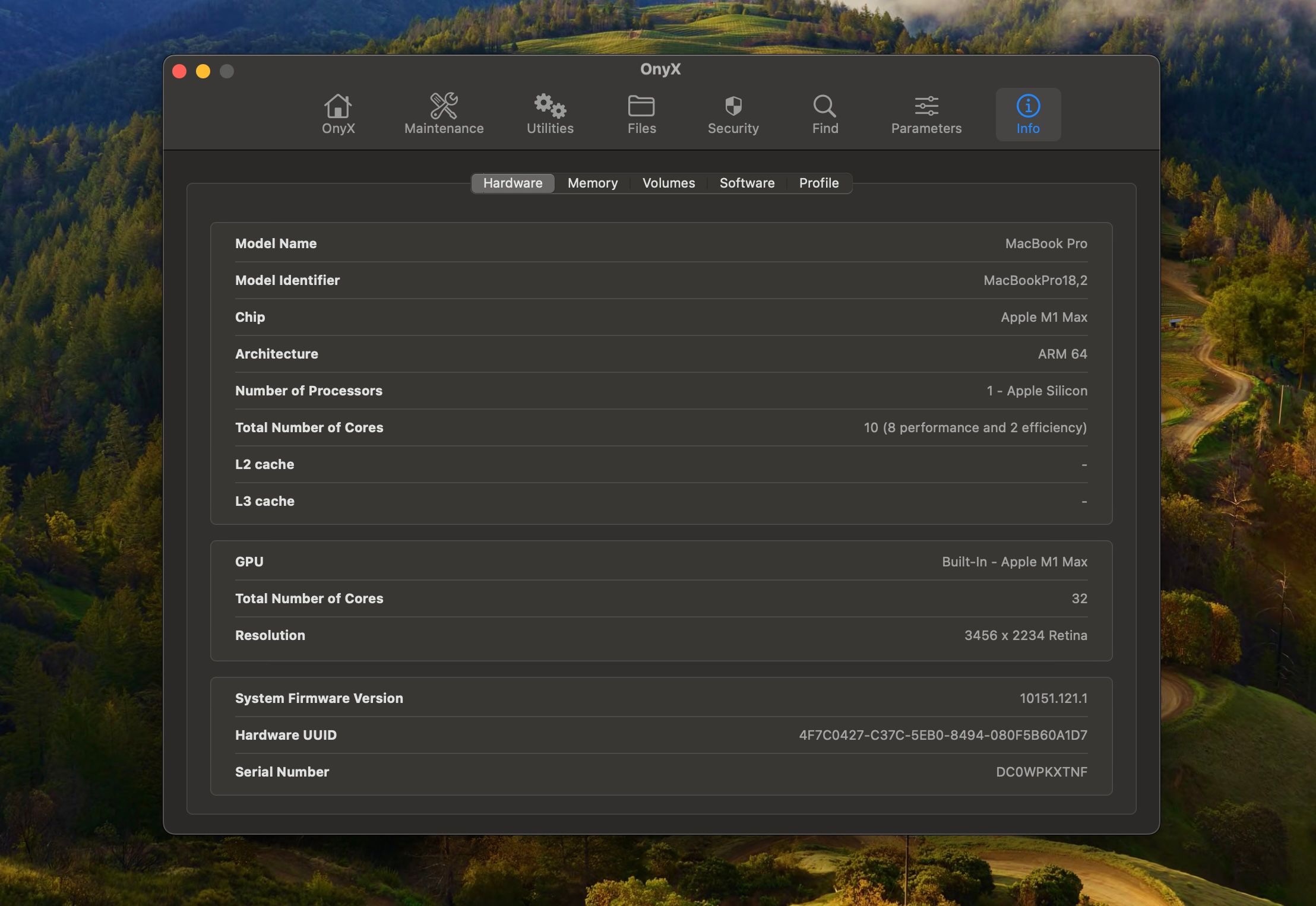
One of the best features of OnyX is its detailed control. You can choose exactly which system files to clean, and it even lets you access hidden macOS settings. For advanced users, this means more control over how their system runs. Even for beginners, OnyX’s straightforward interface makes it easy to run basic maintenance.
However, OnyX should be used with care. Since it has deep access to your system files, deleting the wrong things could cause problems. Always back up your data before making big changes. But overall, it’s an excellent tool for those looking to give their Mac a thorough tune-up.
2. AppCleaner
AppCleaner does exactly what its name suggests—it helps you cleanly uninstall applications. When you drag an app to the Trash, it often leaves behind leftover files. These can take up valuable space over time. AppCleaner ensures that when you remove an app, all of its associated files are deleted too.
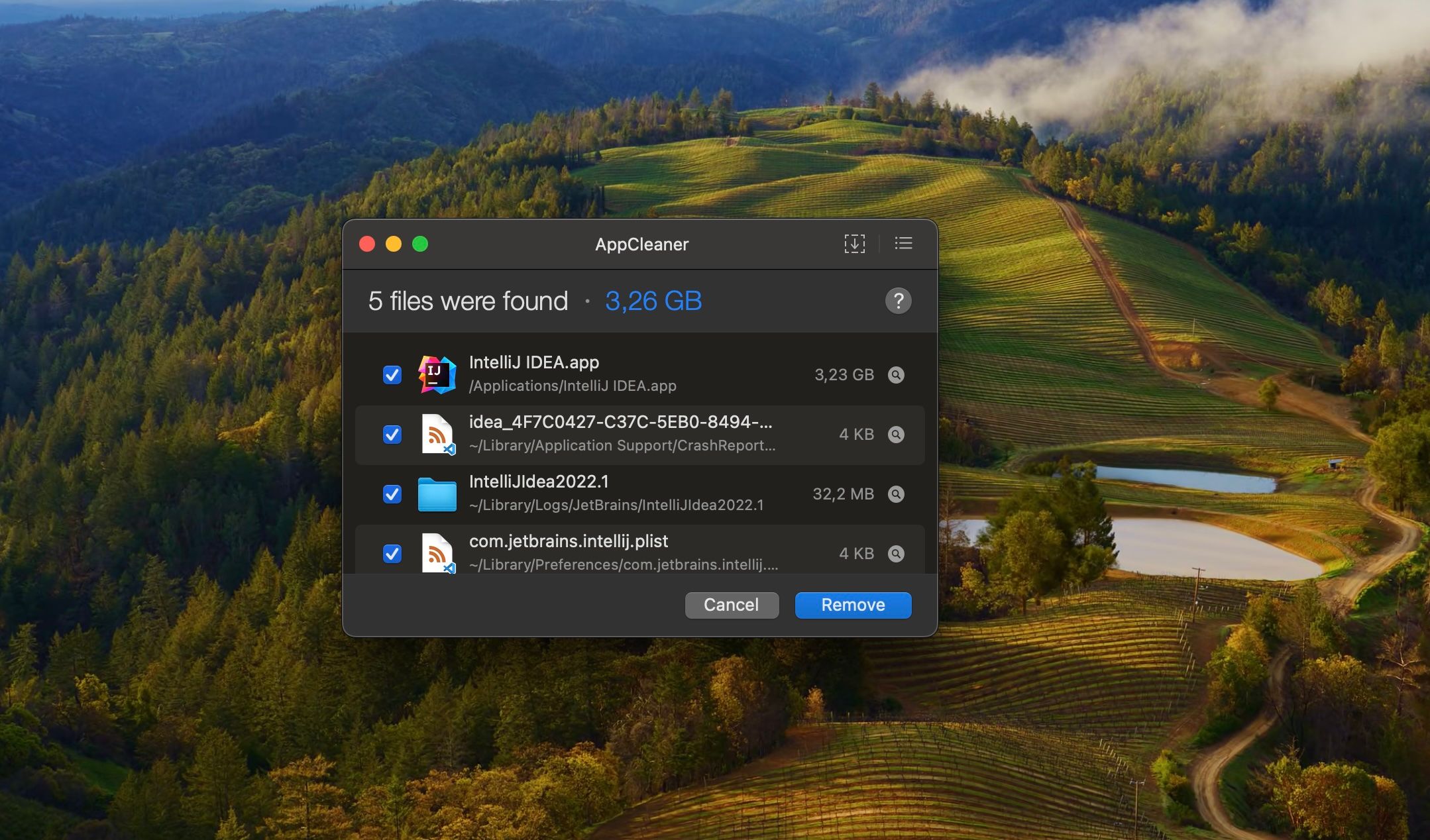
Using AppCleaner is simple. You just drag the application you want to uninstall into the AppCleaner window, and it finds all related files. You can review these files before confirming the deletion. This way, you know exactly what’s being removed. It’s a lightweight tool but incredibly effective.
For anyone who frequently installs and uninstalls software, AppCleaner is a must-have. It keeps your system tidy by removing all traces of unwanted applications. It’s free, easy to use, and ensures that your Mac doesn’t get cluttered with unnecessary files.
3. OmniDiskSweeper
OmniDiskSweeper helps you manage your disk space by showing you exactly what’s taking up room on your Mac. It scans your entire drive and displays a detailed list of all files and folders, sorted by size. This makes it easy to see where your storage is being used.
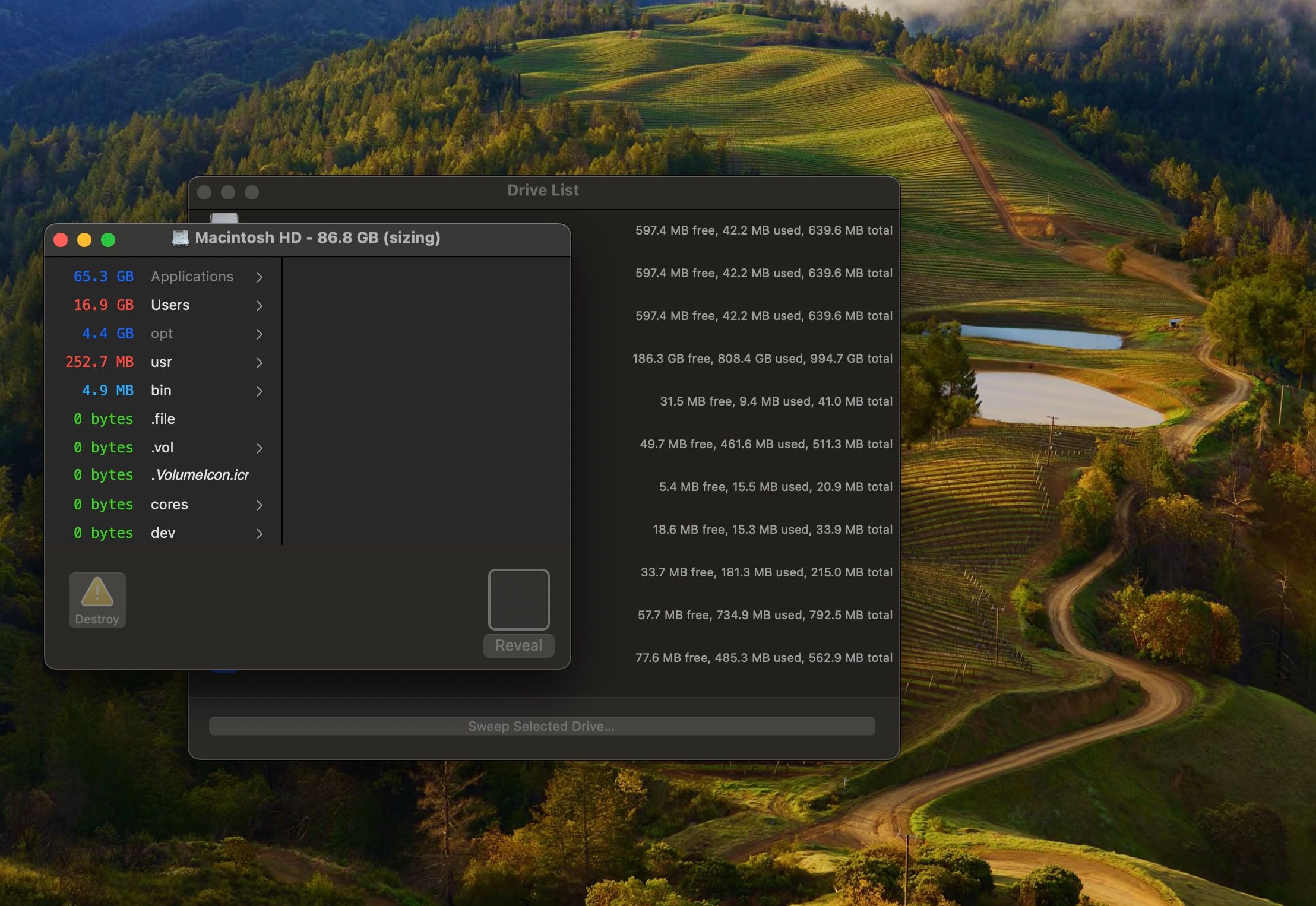
The interface is straightforward, but the information it provides is incredibly valuable. You can quickly identify large files or folders that you might not need anymore. OmniDiskSweeper also lets you delete these files directly from the app, saving you time.
For users who want a detailed look at their storage, OmniDiskSweeper is a great tool. It’s free, and it gives you full control over your files. Just be careful when deleting—make sure you’re not removing anything important!
4. Maintenance
Maintenance is a lightweight tool developed by the same team as OnyX. It focuses on running key maintenance tasks to keep your Mac in good shape. You can use it to clean system caches, repair disk permissions, and run scripts that help keep macOS running smoothly.
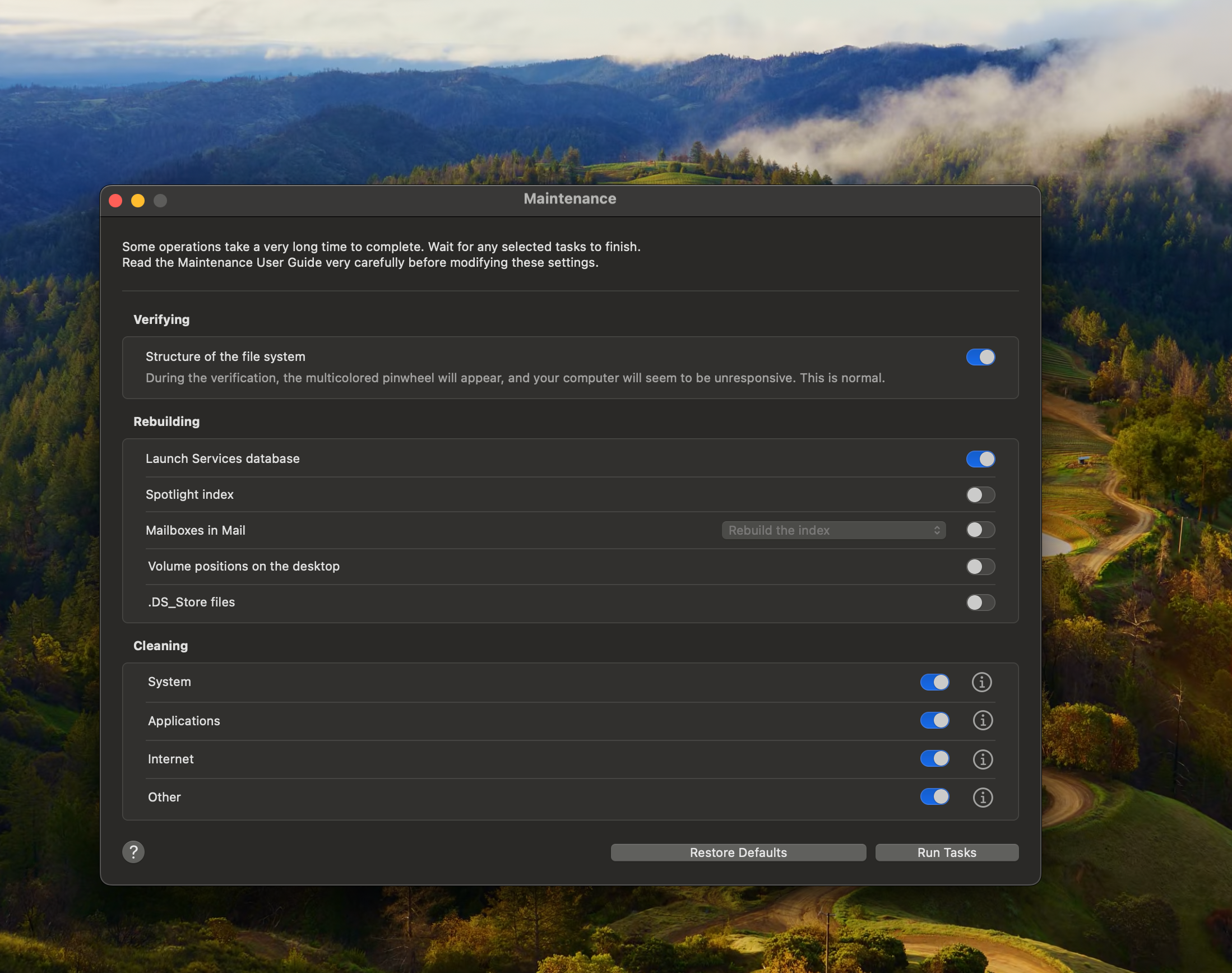
The interface is simple and no-frills. There aren’t many settings to worry about, so it’s perfect for users who just want to run a quick cleanup. You can select which tasks to perform, and Maintenance takes care of the rest. It’s a good option if you want a no-nonsense maintenance tool.
While it doesn’t have as many features as OnyX, Maintenance is a great choice for basic system upkeep. It’s free, effective, and easy to use. Running it once in a while can help prevent slowdowns and keep your Mac performing well.
5. Pearcleaner
Pearcleaner is a lesser-known but highly effective optimization tool. It focuses on cleaning temporary files, system cache, and old logs. These types of files can build up over time and slow down your system. Pearcleaner makes it easy to remove them with just a few clicks.
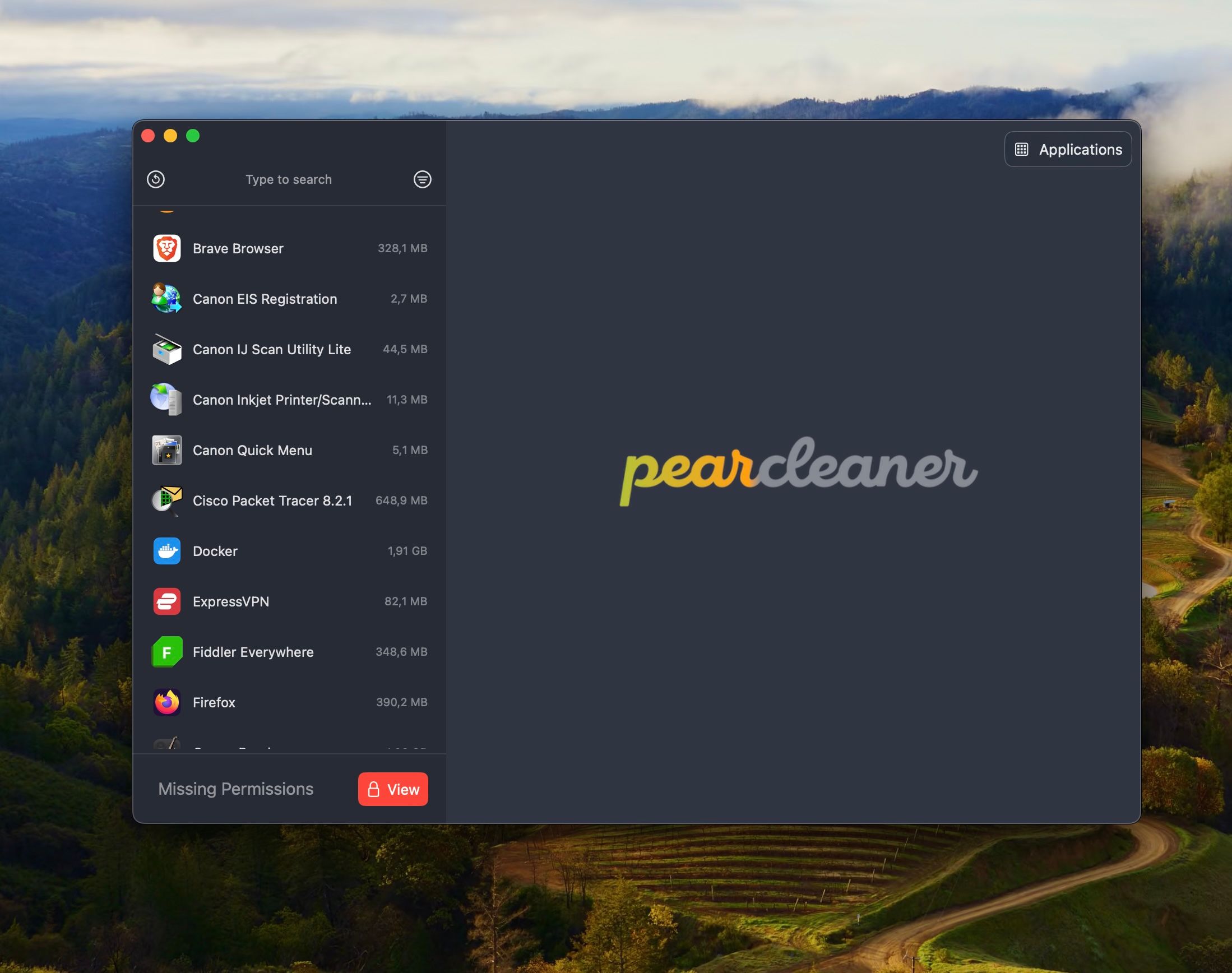
What’s nice about Pearcleaner is its simplicity. The interface is clean and easy to understand. You don’t need to go through complicated menus or settings. Just select what you want to clean, and Pearcleaner does the rest. This makes it a great option for users who want a quick and easy cleanup.
Despite being simple, Pearcleaner is powerful. It digs deep to find hidden junk files that other cleaners might miss. It’s free and open-source, so you can trust that there are no hidden costs or ads. For basic maintenance, it’s a solid choice.
6. Delight Disk
Delight Disk is a helpful tool for managing and freeing up space on your Mac. It shows a clear overview of your disk, making it easy to spot which files take up the most space. You can quickly scan your internal, external, or network drives and see the results in a simple, color-coded graph. This visual map helps you understand where your storage is being used.
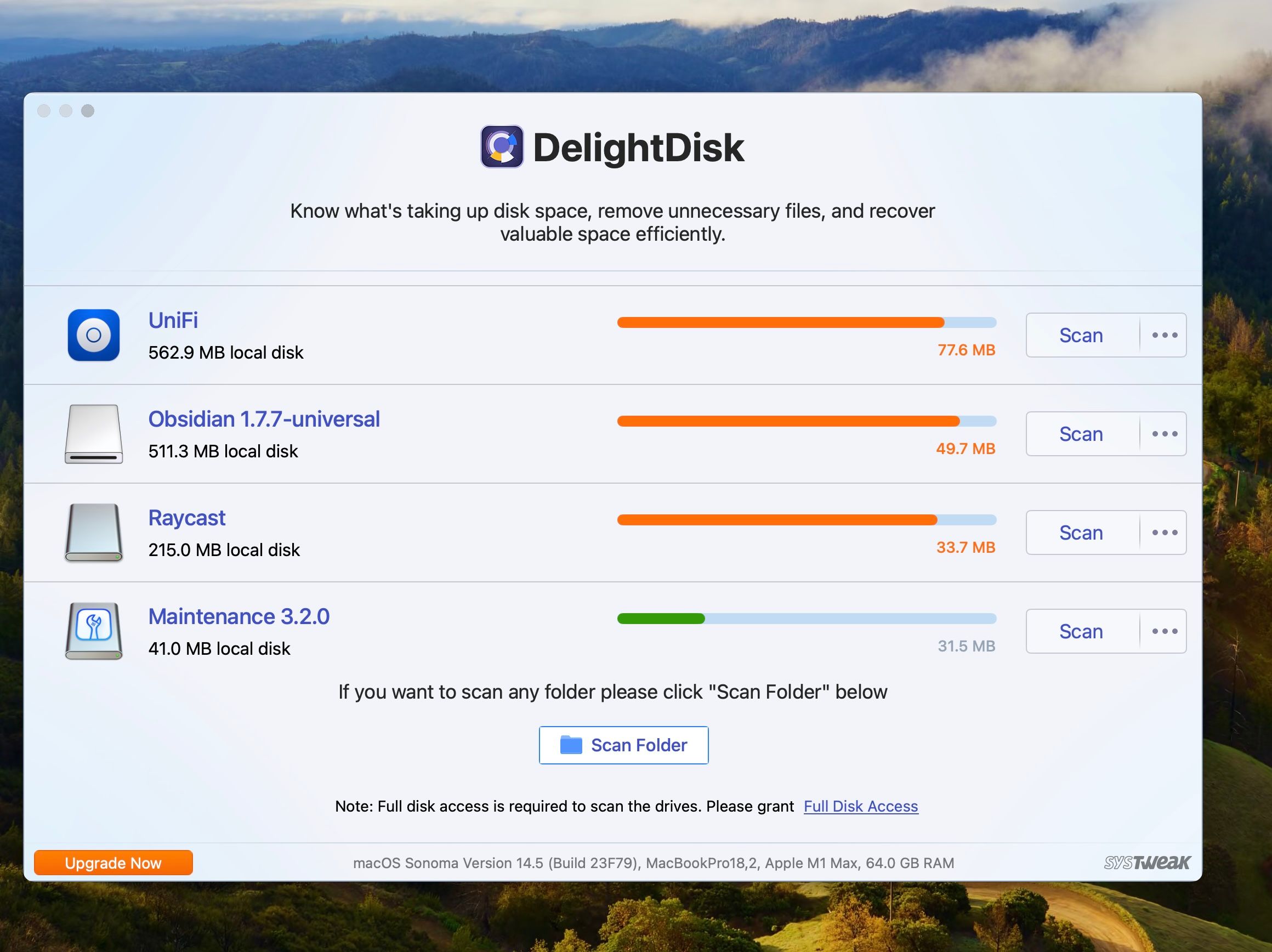
One of the key features of Delight Disk is its ability to find and delete unnecessary files. You can drag and drop files you don’t need straight from the app to remove them permanently. It also clears out hidden files that take up space without you realizing it. This helps free up storage and keeps your system running smoothly.
Another handy option is the Favorites feature. You can add frequently accessed folders to a favorites list, so they’re ready for scanning as soon as you open the app. Whether you’re checking internal drives or external storage, Delight Disk gives you a clear picture of your files and helps you stay organized. Some features are limited in the free version, but for basic cleanup, it’s a great tool.
7. Mole
Mole is a rising open-source toolkit for macOS that packs the functionality of several popular apps into a single lightweight binary. It's free, actively maintained on GitHub, and designed for users who are comfortable with the terminal. With Mole, you can clean junk files, uninstall apps completely, visualize disk usage, and monitor your system in real time — all without switching between multiple tools.
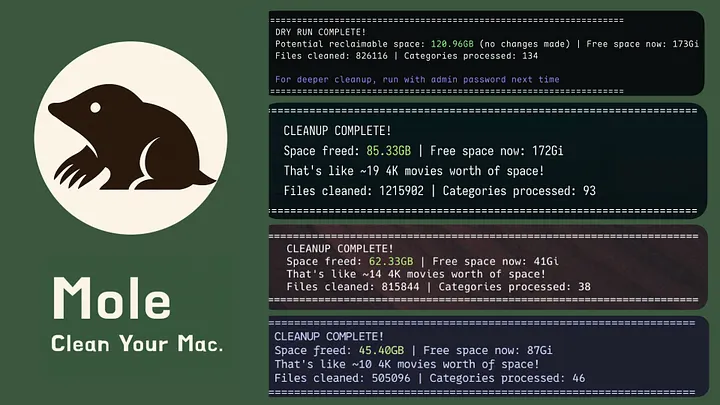
What makes Mole stand out is how much it replaces. Instead of running AppCleaner for uninstalling, DaisyDisk for disk insights, and iStat Menus for system stats separately, Mole handles all of it in one place. It digs deep too — removing not just apps but their launch agents, preferences, and hidden remnants that most users never know exist.
That said, Mole isn't for everyone. Since it's terminal-based, users who prefer a graphical interface may find it less approachable than the other tools on this list. If you're comfortable with Homebrew and the command line though, it's one of the most powerful free options available. You can install it with a single brew install mole command and be up and running in seconds.
8. macOS Built-in Manage Storage
macOS comes with its own built-in storage management tool. You can access it by going to Apple Menu > Settings > Storage > Optimise. This tool provides an overview of your disk space and offers recommendations for freeing up storage.
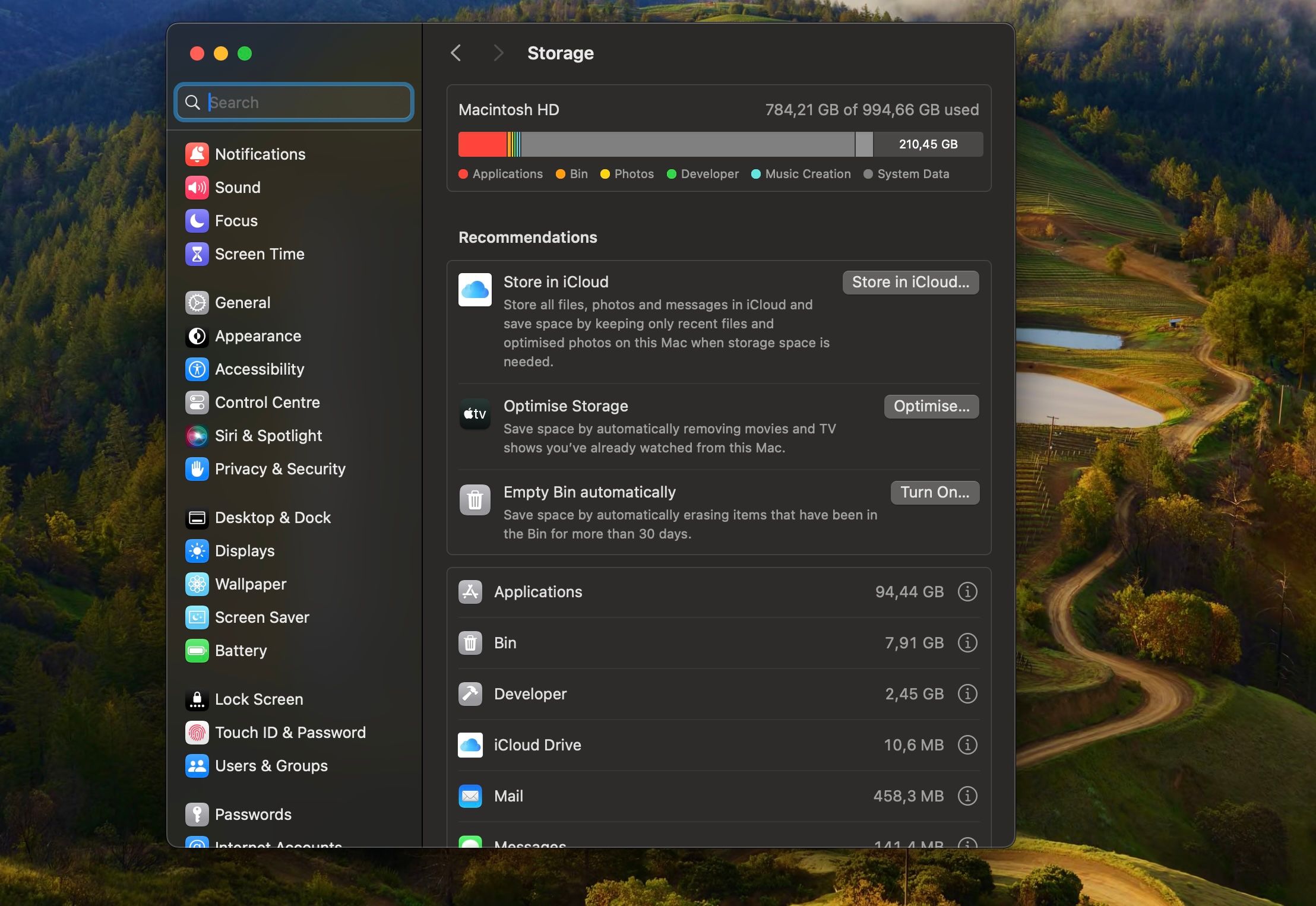
You can use it to find large files, review downloads, and delete old data you no longer need. It also lets you optimize your storage by automatically removing movies and TV shows you’ve already watched. For most users, these built-in features are more than enough.
However, heavy users or those experiencing slowdowns might benefit from occasional manual cleaning with the other tools mentioned above. But for regular maintenance, macOS’s built-in storage management is a solid and reliable option. It’s easy to use and doesn’t require any additional downloads.
Not Sure Which One to Use?
Here's the short version:
- Just want to clean your Mac quickly? Start with OnyX. Run it once a month.
- Uninstalling apps? Use AppCleaner every time you delete software. It removes the files the Trash misses.
- Running out of storage? Open OmniDiskSweeper first. Find out what's actually taking up space before deleting anything.
- Comfortable with Terminal? Mole replaces three or four separate tools in one command.
- Not sure what's safe to delete? Use macOS's built-in Storage tool first. It only shows you your own files.
You don't need all eight. Pick one or two that match how you use your Mac and stick with them.
Final Thoughts
Keeping your Mac clean doesn't need to cost anything. The tools above cover every real use case — from a quick cache clear to a full app removal — without a single paid upsell in sight.
If you want to go beyond cleaning and actually speed things up, our Mac Performance Optimization guide is worth reading next.
Leave a Comment