AI & Writing Tools
MonsterWriter
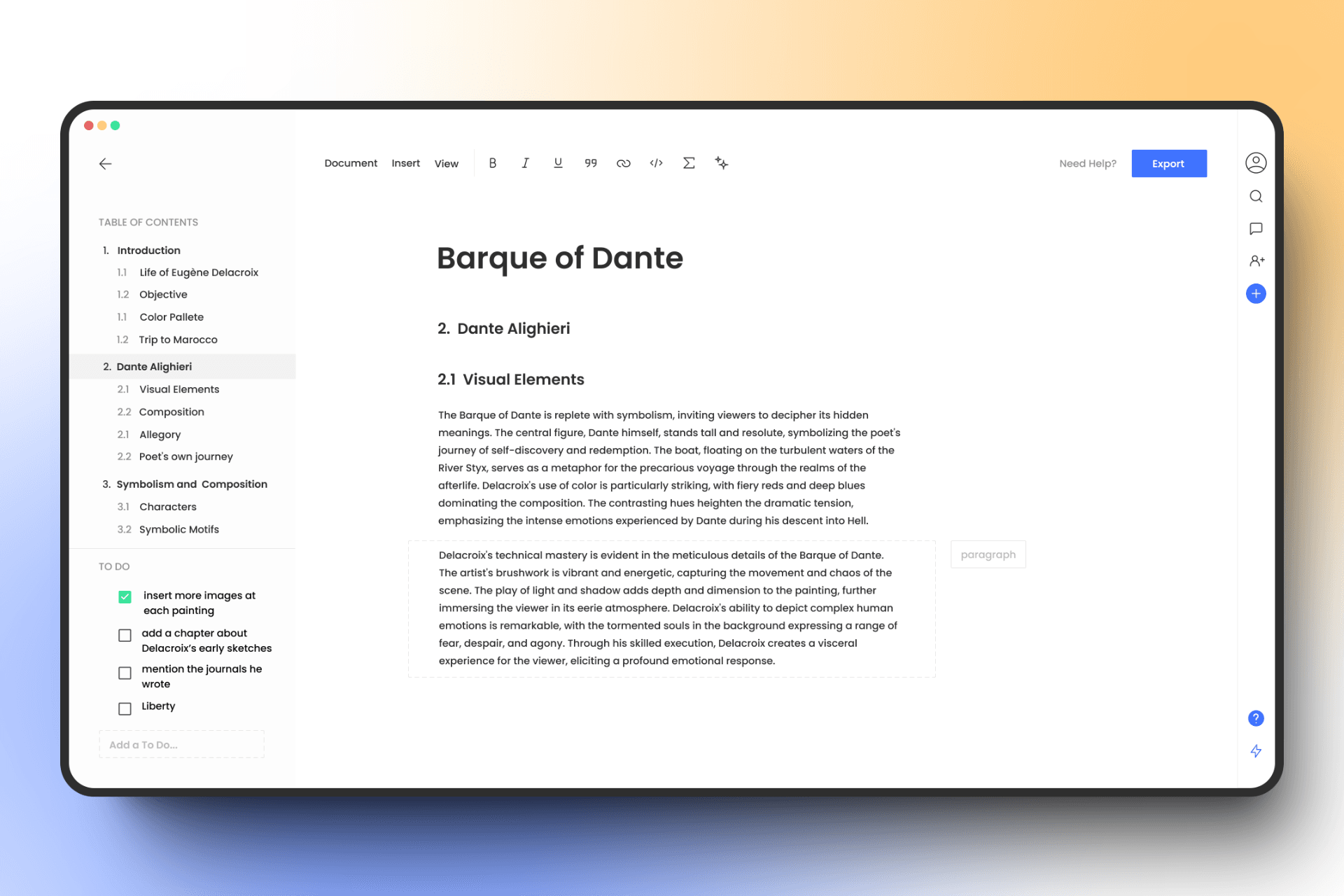
MonsterWriter is a writing app built for academic work like theses, papers, and research notes. It handles formatting, citations, and numbering for you, so you can focus on writing instead of fighting with layout. It offers a free plan forever, with no credit card needed to start.
Key Features
- Two Document Types: Choose a LaTeX Workspace if you know LaTeX, or a Documents editor if you want a clean, distraction-free space with no LaTeX needed.
- Auto-Numbering: Headings, figures, and tables number themselves automatically, and cross-references update on their own.
- Citation From DOI, ISBN, or URL: Paste an identifier and MonsterWriter fills in the author, title, journal, and other details for you.
- Switch Citation Styles Instantly: Change between styles like APA, Harvard, MLA, IEEE, and Chicago in a couple of clicks, and every citation updates at once.
- No Compile Limits: The LaTeX Workspace has no compile timeout, unlike Overleaf's free plan, which cuts off after 10 seconds.
- Flexible Export: Export Documents to PDF, DOCX, LaTeX, or Markdown. The LaTeX Workspace exports to PDF.
- Real-Time Collaboration: Invite collaborators with no seat limits, on every plan including Free.
Frequently Asked Questions (FAQ)
Is MonsterWriter free?
Yes. MonsterWriter has a free plan forever, with 50 MB of storage and no credit card required. A paid plan costs $16 a year and adds more storage.
Do I need to know LaTeX to use MonsterWriter?
No. The Documents editor is built for people who have never used LaTeX. You just write, and MonsterWriter handles formatting and citations for you.
What is the difference between LaTeX Workspace and Documents?
LaTeX Workspace is a full code editor for people who write raw LaTeX, with syntax highlighting and live preview. Documents is a simpler editor with no LaTeX needed. You choose one when you create a document, and you cannot switch later.
How does citation auto-fill work?
Paste a DOI, ISBN, arXiv ID, PubMed ID, or URL into the citation dialog, and MonsterWriter fills in the author, title, journal, year, and other fields automatically.
Can I collaborate with others in MonsterWriter?
Yes. Every plan, including Free, allows real-time collaboration with no limit on the number of collaborators.
What happens if I cancel my paid plan?
You drop back to the Free plan and keep all your documents. If your projects fit within 50 MB of storage, nothing else changes, and you can export your work at any time.
How does MonsterWriter compare to Overleaf?
MonsterWriter's LaTeX Workspace has no compile time limit, while Overleaf's free plan stops compiling after 10 seconds. MonsterWriter's paid plan costs $16 a year, compared to Overleaf's $179 a year.