Utility
How to Check Your Mac Warranty Status (2026 Guide)
How to Check Your Mac Warranty Status (2026 Guide)
Something breaks on your Mac. Before you panic — or pay — the first thing to do is check if you're still covered. Takes about 60 seconds. Could save you hundreds of dollars.
This guide walks you through exactly how to check your Mac's warranty status, what the different coverage types mean, and what your options are if your warranty has already expired.
What Warranty Does Every Mac Come With?
Every new Mac comes with Apple's Limited Warranty included at no extra cost. Here's what it covers:
- One year of hardware repair coverage from the date of purchase
- 90 days of complimentary technical support by phone or chat
- Manufacturing defects and hardware failures — things that go wrong on Apple's end, not yours
What it does not cover: accidental damage. If you drop your MacBook or spill coffee on it, the standard warranty won't help. That's where AppleCare+ comes in.
The warranty transfers with the device. If you bought a used Mac, you still get whatever time is left on the original warranty.
3 Ways to Check Your Mac's Warranty
Method 1: Directly on Your Mac Go to Apple menu → System Settings → General → About. Look for "AppleCare & Warranty" and click Details. You'll see your warranty status, time remaining, and coverage type. This detailed view requires macOS Sonoma 14.1 or later.
If you're not sure where to find your serial number, check our Mac Serial Number Lookup guide.
Method 2: Apple's Coverage Website Go to checkcoverage.apple.com, enter your serial number, and complete the short verification. You'll see the exact expiry date, coverage type, and whether you're eligible for hardware service. This works even if your Mac is broken or at a repair shop.
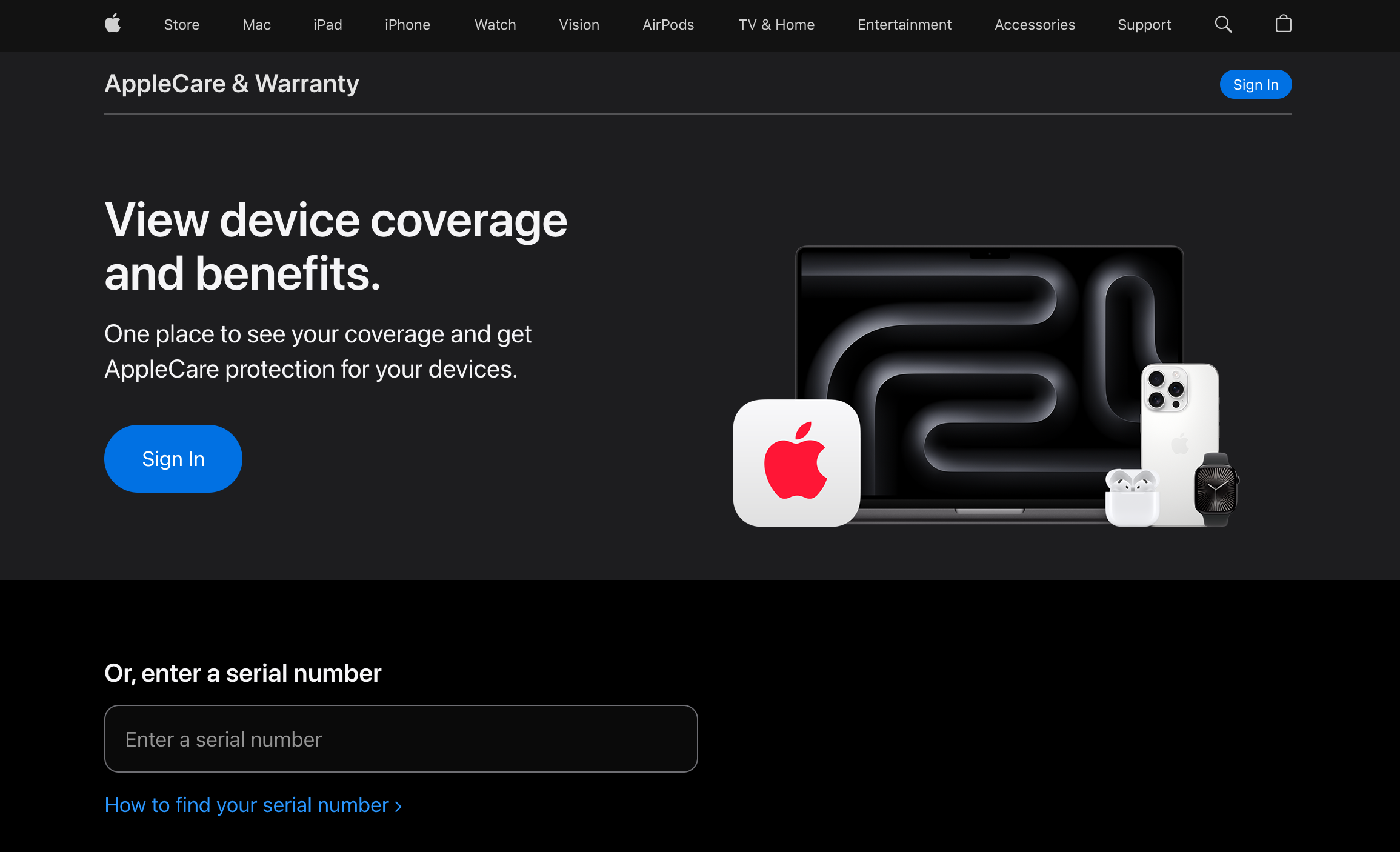
Method 3: Through Your Apple Account Go to mysupport.apple.com, sign in, and you'll see all devices tied to your Apple ID with their coverage details. Useful for checking multiple devices at once and finding your agreement number.
Understanding What You're Looking At
"Limited Warranty — Active" — Within the standard one-year warranty. Hardware defects covered at no cost.
"AppleCare+ — Active" — Extended coverage is active. Hardware failures plus accidental damage protection.
"Telephone Technical Support — Expired" — Your 90-day free support has ended, but hardware warranty may still be active. These run on separate timers.
"Coverage Expired" — Both warranty and any AppleCare+ plan have ended.
What Is AppleCare+ and Is It Worth It?
AppleCare+ extends Mac coverage to three years from your purchase date and adds accidental damage protection. What it covers beyond the standard warranty:
- Accidental drops and spills
- Screen damage
- Battery service if capacity drops below 80%
- 24/7 priority access to Apple support
Service fees per incident:
- Screen or external enclosure damage: $99
- Other accidental damage (water, internal): $299
These fees are much lower than paying out of pocket. A MacBook screen repair without coverage typically runs $400–$700.
Current annual pricing:
- MacBook Air 13-inch M2: $64.99/year (or $179 for 3 years)
- MacBook Air 13-inch M3: $69.99/year (or $199 for 3 years)
- MacBook Air 15-inch M3: $79.99/year (or $229 for 3 years)
- MacBook Pro 16-inch: $149.99/year (or $399 for 3 years)
- Mac mini: $34.99/year (or $99 for 3 years)
For most Macs in the US, you can add AppleCare+ up to one year after purchase. In most other countries the window is 60 days — check Apple's site for your region.
AppleCare One — Apple's newer multi-device subscription launched in July 2025 — lets you add devices up to four years old for $19.99/month covering up to three devices. Currently US only.
Limited Warranty vs AppleCare+
| Limited Warranty | AppleCare+ | |
|---|---|---|
| Duration | 1 year | 3 years |
| Hardware defects | Yes | Yes |
| Accidental damage | No | Yes (with service fee) |
| Battery service | No | Yes (below 80%) |
| 24/7 support | 90 days only | Full duration |
| Cost | Free | Varies by model |
What to Do If Your Warranty Has Expired
Out-of-warranty Apple repair — You can still use Apple or an Apple Authorized Service Provider. Repairs use genuine parts and come with a 90-day repair warranty. Common costs without coverage: screen replacement $400–$700, battery replacement $129–$199.
Check Apple's Repair Programs — Apple occasionally runs free repair programs for known defects, even on out-of-warranty devices. Go to apple.com/support/exchange_repair and search your model. Past programs have covered keyboard failures, display issues, and battery problems on specific models. Always check here before paying for a repair.
Consumer law (outside the US) — In the EU the legal guarantee is two years. In the UK, the Consumer Rights Act can cover defects for longer in some cases. You typically need to show the defect existed from purchase, but it's worth knowing before accepting a repair bill.
Warranty and Used Macs
Coverage follows the device, not the owner. Whatever time is left on the original warranty transfers to you automatically when you buy used.
You generally cannot add standard AppleCare+ after the purchase window. If you're buying a used Mac and want extended coverage, check the purchase date first — it determines what options are still available to you. The full checklist for buying used is in our [Buying a Used Mac guide].
FAQ
My warranty just expired. Can I still get AppleCare+? In the US, yes — up to one year after purchase. Outside the US, the window is typically 60 days. After that, standard AppleCare+ is no longer available for that device.
Does AppleCare+ cover water damage? Yes. Liquid damage from spills is covered as accidental damage, subject to the $299 service fee. Submersion damage or non-accidental events are not covered.
My Mac is less than a year old but shows "Coverage Expired." Why? The warranty runs from the original purchase date. If someone owned it for six months before selling it to you, you only have the remaining six months. Also, if Apple replaced the logic board during a repair, the serial number may have changed and the coverage record may look different.
Does AppleCare+ cover theft? No. Mac AppleCare+ does not include theft or loss. That option exists for iPhone only.
Is AppleCare+ worth it? If you travel with your Mac regularly, one screen repair without coverage can cost more than the plan itself. If it rarely leaves your desk, it's a closer call. The break-even is roughly one significant repair over three years.
The Bottom Line
Check your warranty now at checkcoverage.apple.com — it takes one minute. A lot of people only think about coverage when something breaks, and by then the window to add AppleCare+ may have already closed.
If your warranty is expired, check Apple's repair programs at apple.com/support/exchange_repair before paying. You might qualify for a free repair you didn't know existed.
Leave a Comment