Utility
Mac Serial Number Lookup (2026 Edition)
Mac Serial Number Lookup (2026 Edition)
If you searched "mac serial number lookup," there's a good chance you landed on a site with a big search box that promised to decode your Mac's specs — and got nothing useful back. That's not your fault. Since 2021, Apple changed how serial numbers work, and most third-party lookup tools haven't caught up.
This guide covers everything: how to find your serial number even if your Mac won't turn on, what the number can and can't tell you, and what to actually use in 2026 when you need real specs.
Quick answer: Head to checkcoverage.apple.com and enter your serial number. It's the only lookup tool you can fully trust right now.
What a Serial Number Can (and Can't) Tell You
Think of your serial number as your Mac's ID card. Apple uses it to track warranty status, repairs, and product history. But here's what most people don't realize: not all Mac serial numbers work the same way anymore.
Before 2021: Serials You Could Actually Decode
Older Macs had 12-character serial numbers that followed a structured format. Each part of the string meant something specific:
- Characters 1–3 encoded the manufacturing location
- Characters 4–5 indicated the year and week of production
- Characters 6–8 were a unique unit identifier
- Characters 9–12 contained the model configuration code
Third-party sites built entire businesses around decoding this. You could plug in your serial and find out your Mac was made in Week 40 of 2019 at a factory in China. It was actually pretty useful.
2021 and Later: Randomized Serials
Starting in early 2021, Apple switched to fully randomized serial numbers, beginning with the first M1 Macs. The new format is 10 characters long, and the characters mean nothing on their own — they're just a random alphanumeric string tied to your device in Apple's database.
Why did Apple do this? Two main reasons: privacy and fraud prevention. Structured serial numbers made it easier to forge or clone devices. A fake Mac with a believable serial could pass quality checks or trick buyers. Randomized serials make that much harder.
What this means for you: If you have an M1, M2, M3, M4, or M5 Mac, no third-party decoder can pull real specs from your serial number. The only thing that works is Apple's own lookup tool.
5 Ways to Find Your Serial Number
Method 1: The Software Way (Mac is on and working)
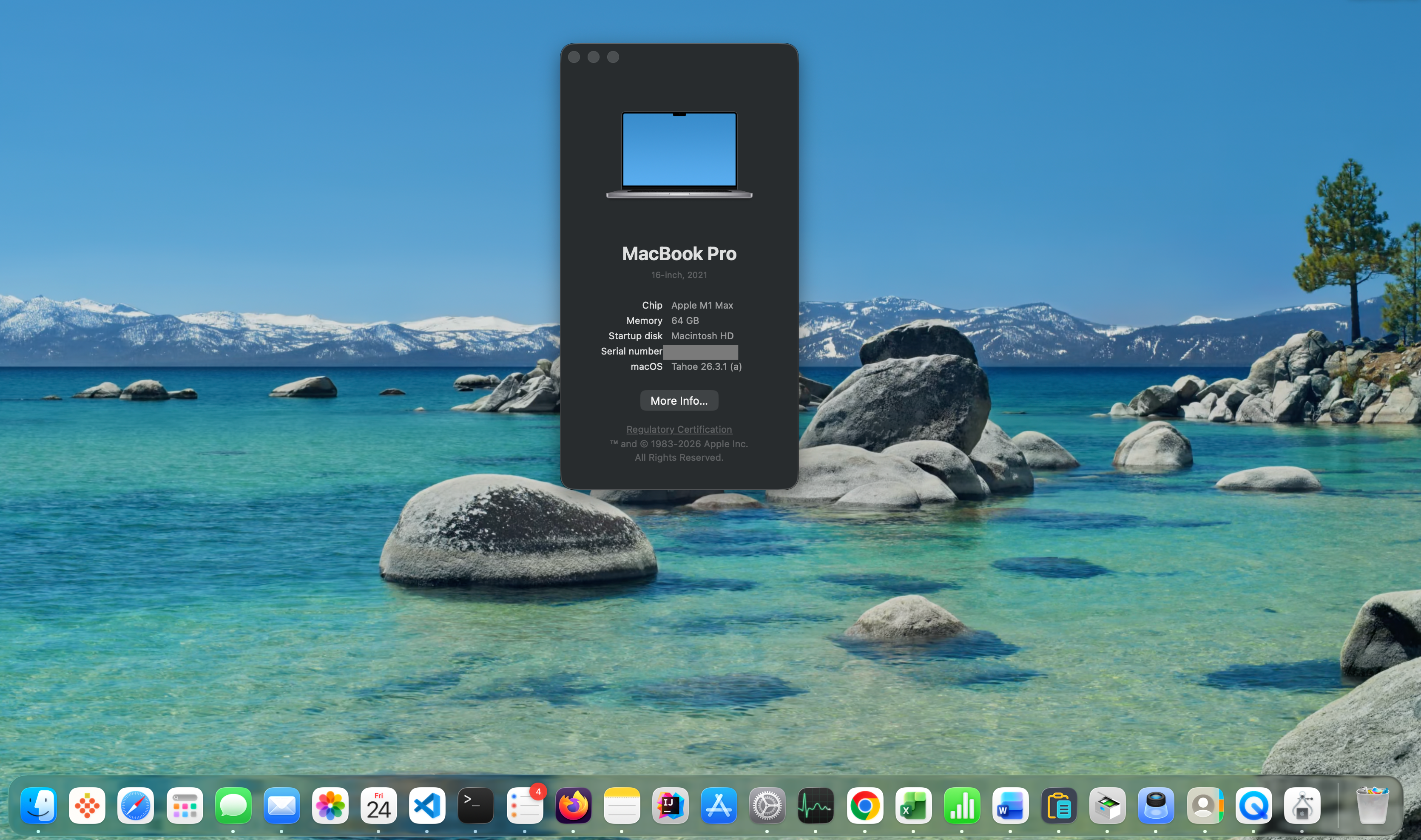
Click the Apple menu → About This Mac. Your serial number is listed right there. You can click it to copy it to your clipboard. If you're on macOS Ventura or later, go to Apple menu → System Settings → General → About and scroll down.
Method 2: The Physical Way (Mac is dead or won't boot)
Every Mac has its serial number engraved on the hardware itself. Where to look depends on your model:
- MacBook Air / MacBook Pro: On the bottom case, near the regulatory markings, in very small text
- Mac mini: On the bottom of the unit
- iMac: On the bottom of the stand
- Mac Pro (tower): On the back panel
- Mac Studio: On the bottom of the unit
Method 3: The Remote Way (Using your iPhone)
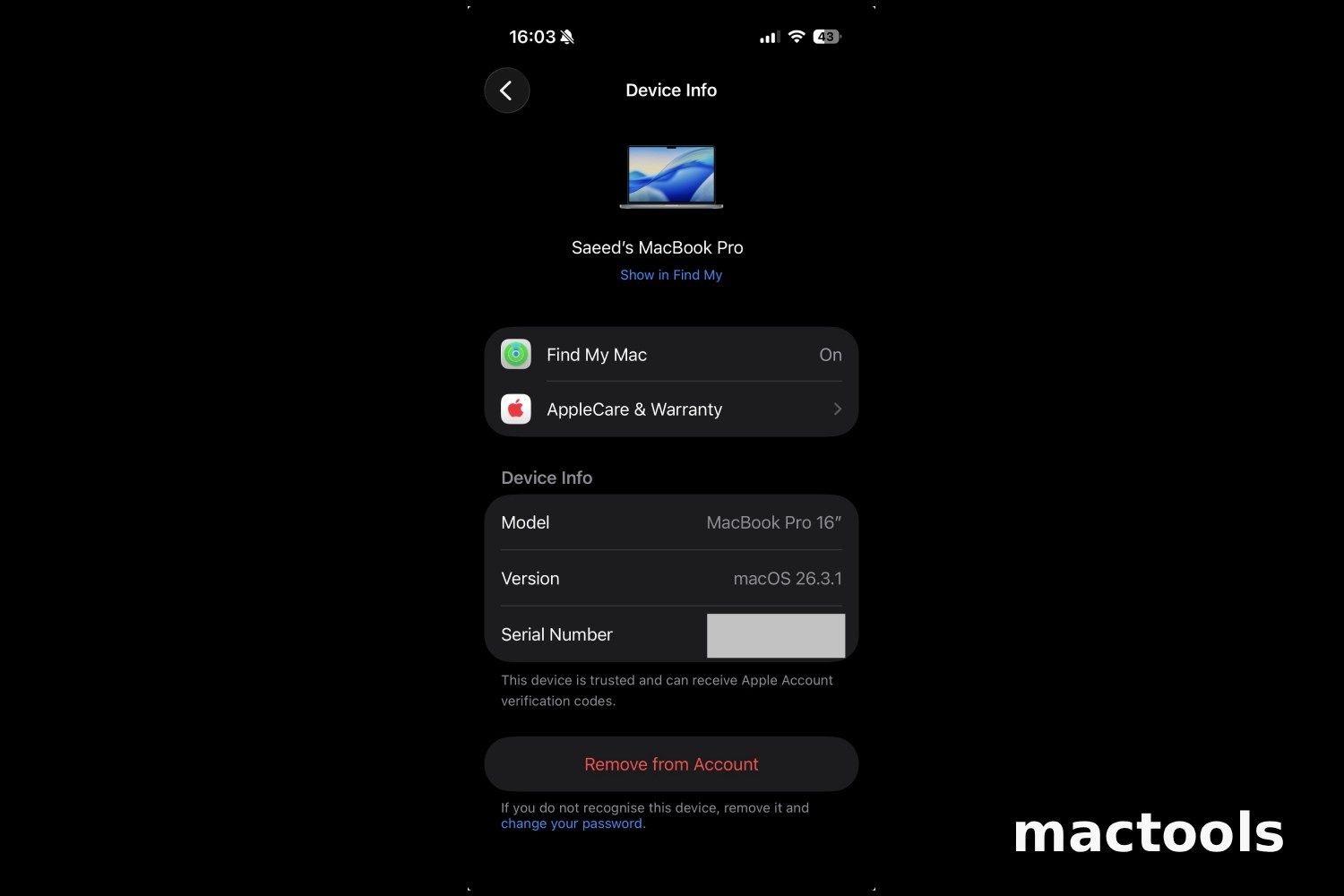
If your Mac is linked to your Apple ID, go to Settings → [Your Name] on your iPhone and scroll down. You'll see a list of devices. Tap your Mac and the serial number is listed there. Really useful if your Mac is at a repair shop and you need the number on the go.
Method 4: The Terminal Way
Open Terminal and type:
1system_profiler SPHardwareDataType | grep SerialYour serial number will appear next to "Serial Number (system)."
Method 5: The Paperwork Way
Your serial number is printed on the original box next to the barcode. It's also in your purchase receipt from Apple and in any AppleCare registration emails. If you bought from Apple's website, check your order history at apple.com.
Why Model Identifiers Are More Useful Than Serials in 2026
Here's the thing nobody talks about enough: for actually understanding your Mac's hardware, the serial number is the wrong tool. What you really want is your Model Identifier.
A Model Identifier is an internal code that tells you exactly which hardware configuration you have. It looks like Mac15,3 or MacBookPro18,3. Two Macs can have completely different serial numbers and be identical machines — but they will always share the same Model Identifier.
This matters when you're checking software compatibility, looking up specs, or figuring out which macOS versions your machine supports.
How to Find Your Model Identifier
Go to Apple menu → System Settings → General → About → System Report. Under Hardware Overview, look for "Model Identifier." Or run this in Terminal:
1system_profiler SPHardwareDataType | grep "Model Identifier"Common Model Identifiers for Recent Macs
MacBook Pro
- MacBook Pro 14-inch, M1 Pro (2021) → MacBookPro18,3
- MacBook Pro 16-inch, M1 Pro (2021) → MacBookPro18,1
- MacBook Pro 13-inch, M2 (2022) → Mac14,7
- MacBook Pro 14-inch, M3 (2023) → Mac15,3
- MacBook Pro 14-inch, M4 (2024) → Mac16,1
MacBook Air
- MacBook Air 13-inch, M2 (2022) → Mac14,2
- MacBook Air 15-inch, M2 (2023) → Mac14,15
- MacBook Air 13-inch, M3 (2024) → Mac15,12
Mac mini / iMac
- Mac mini, M2 (2023) → Mac14,3
- iMac 24-inch, M3 (2023) → Mac15,4
- iMac 24-inch, M4 (2024) → Mac16,2
A quick pattern to remember: Mac14 = M2 generation, Mac15 = M3, Mac16 = M4.
The Red Flag Checklist: Using Your Serial for Safety
If you're buying a used Mac, the serial number is your first line of defense.
1. Check Apple's Coverage Page Go to checkcoverage.apple.com and enter the serial. If it says "We're sorry, but this serial number is not valid," stop there. It may belong to a counterfeit device or a Mac that had its logic board replaced.
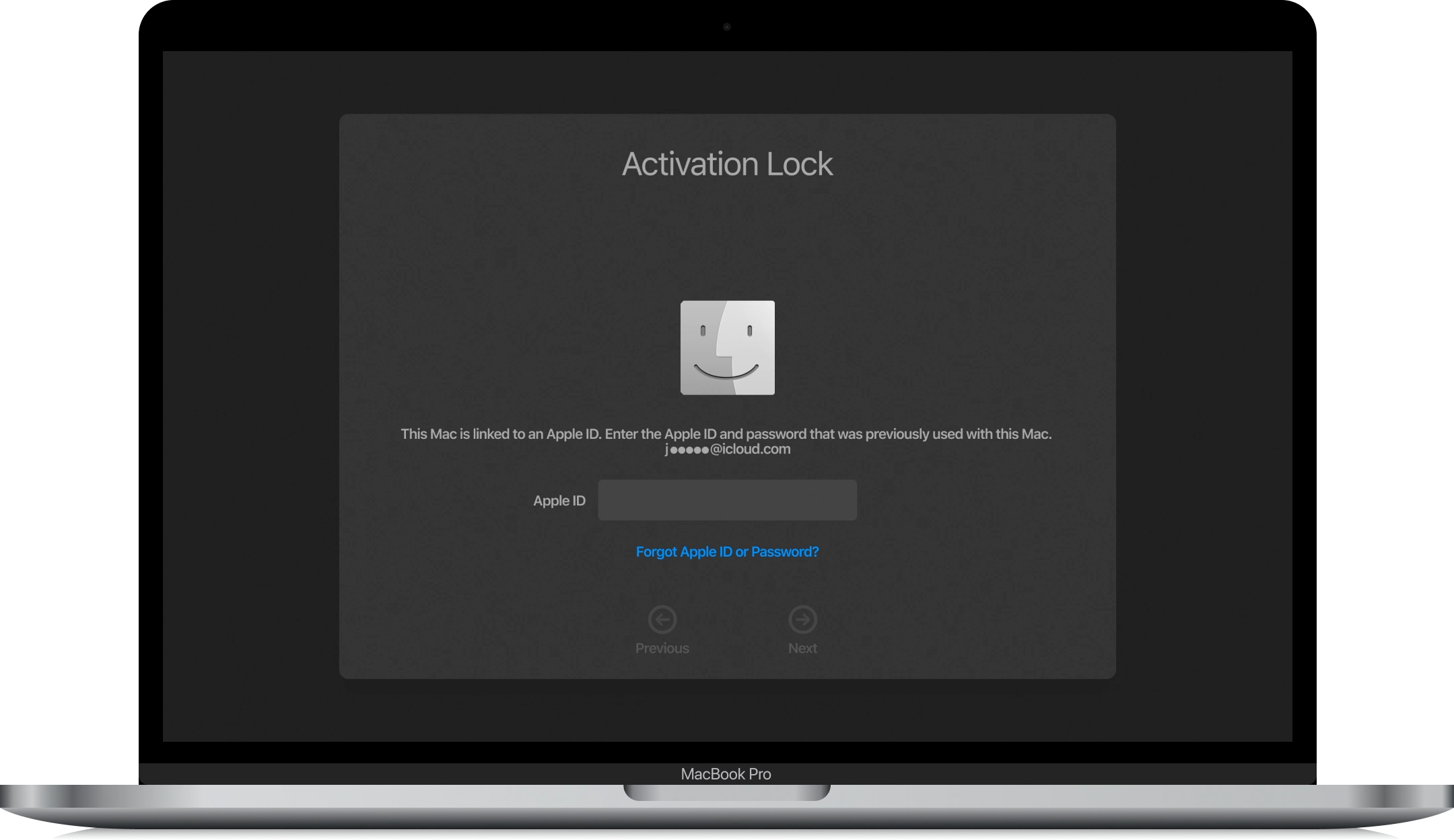
2. Check for Activation Lock Ask the seller to show you the Mac powered on. Go to System Settings and look at the top — if they're still signed in with their Apple ID, the Mac is still linked to their account. They need to sign out completely before you take ownership, or you'll be locked out with no way in.
3. Check for MDM Enrollment MDM (Mobile Device Management) is how companies manage employee Macs remotely. If a Mac came from a business, it may still be enrolled — even after a factory reset. During macOS setup, watch for a "Remote Management" screen. If that appears, the Mac is still tied to a company's system. Walk away.
For Intel Mac Owners: Decoding the Old Format
If you have a Mac made before 2021, the 4th and 5th characters of your serial number give you a clue about when it was made. Here are a few examples:
| Characters 4–5 | Year | Half of Year |
|---|---|---|
| MC | 2009 | First Half |
| MD | 2009 | Second Half |
| MG | 2010 | First Half |
| F5K | 2015 | First Half |
| GYN | 2020 | First Half |
| DKQ | 2020 | Second Half |
The full table is long and model-specific. Apple's coverage tool is more reliable for exact details, but this gives you a quick way to ballpark the age of an older machine.
FAQ
Why does my serial number say "Invalid" on Apple's site? The most common reason is a logic board replacement. When Apple replaces the logic board during a repair, the serial number changes and the old one becomes invalid. If you're checking a used Mac and get this result, ask about its repair history before buying.
Can a Mac's serial number be changed? Not through software. The serial is stored on the logic board, so the only way it changes is if that board is physically replaced. This can happen during legitimate Apple repairs, but also on counterfeit or rebuilt machines.
Does the serial number show who owns the Mac? No. Apple's coverage tool only shows the model name and warranty status. It does not display the owner's name or Apple ID.
My Mac shows as "Vintage" or "Obsolete" — what does that mean? Apple marks products as Vintage when they were discontinued more than 5 years ago, and Obsolete after 7 years. Obsolete Macs no longer receive hardware service from Apple or authorized repair providers. Your Mac still works — Apple just won't fix it anymore.
The Bottom Line
Use your serial number to check warranty status and verify a used Mac before buying. Use your Model Identifier when you need actual specs or software compatibility info.
For warranty checks, checkcoverage.apple.com is the only tool worth using. Third-party serial decoders are mostly outdated for any Mac made since 2021.
Now that you know exactly what machine you have, check out our guide to the best Mac apps for your model — including the tools that actually take advantage of Apple Silicon.
Leave a Comment