Utility
What Is DeskRest? A Simple Break Reminder App for macOS
If you work on a Mac for hours every day, you’ve probably felt it before. Your eyes start to burn. Your neck slowly bends forward. Your shoulders tense up. By the end of the day, your body feels worse than it should.
Most people don’t ignore their health on purpose. They just get focused and forget to take breaks.
DeskRest is a macOS app made to solve that problem. It helps you build a healthier work routine by reminding you to take breaks, fix your posture, and step away from the screen at the right times.
In this article, you’ll learn what DeskRest is, how it works, and whether it’s a good fit for your daily work on macOS.
What Is DeskRest?
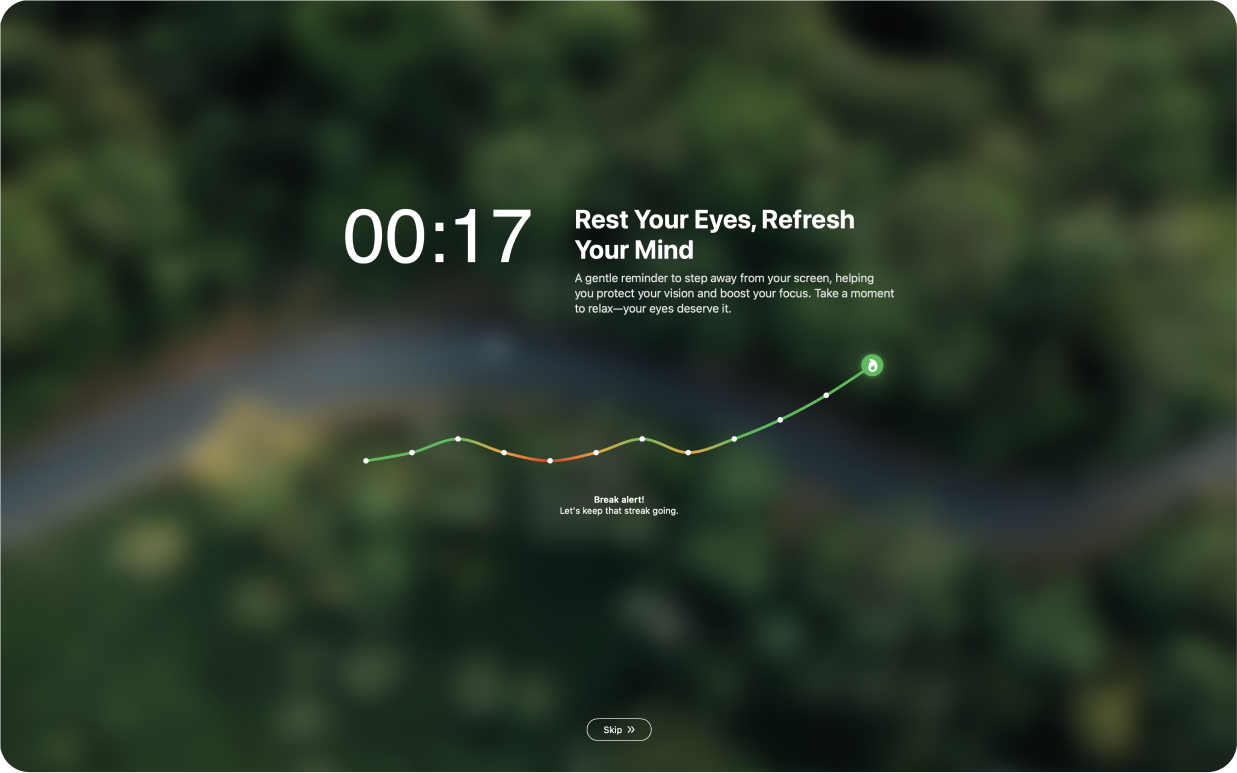
DeskRest is a macOS app that helps you maintain a balanced work routine by reminding you to take regular breaks, adjust your posture, and care for your body while working.
It acts like a quiet assistant running in the background. Instead of forcing you to stop working, it gives gentle reminders that encourage better habits during long hours at your desk.
DeskRest focuses on small actions:
- Short breaks for your eyes
- Longer breaks to move your body
- Posture reminders to stop slouching
These simple reminders can make a big difference when repeated throughout the day.
Why Break Reminders Matter for Mac Users
Working on a computer for long periods puts stress on your eyes and body. This often leads to digital eye strain, neck pain, and poor posture.
Common signs include:
- Dry or blurry eyes
- Headaches
- Tight shoulders
- Lower back pain
- Feeling tired faster than usual
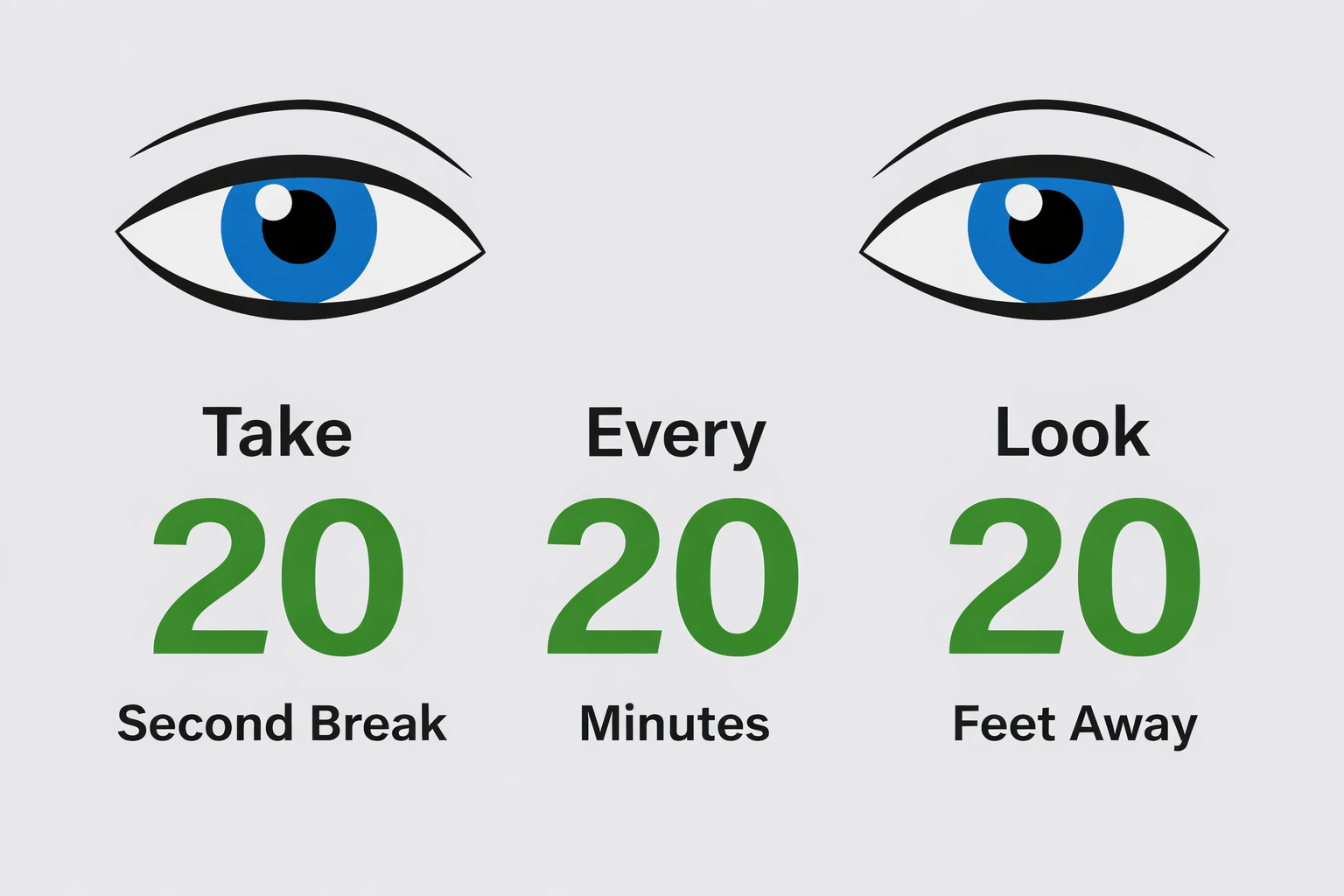
A popular method to reduce eye strain is the 20-20-20 rule:
Every 20 minutes, look at something 20 feet away for 20 seconds.
The problem is not knowing what to do. The problem is remembering to do it.
When you’re focused on work, time slips by. DeskRest helps by reminding you at the right moments, so healthy breaks become part of your routine instead of an afterthought.
How DeskRest Breaks Work
DeskRest uses a simple system of reminders that you can adjust based on how you work.
Short Breaks
Short breaks are quick pauses designed to rest your eyes and adjust your posture.
- A 30-second break every 20 minutes
- Ideal for blinking, looking away from the screen, and sitting upright
- Helps reduce eye strain without breaking focus
These breaks are short enough that they don’t interrupt your workflow.
Long Breaks
After several short breaks, DeskRest suggests a longer pause.
- A 3-minute break after three short breaks
- Time to stand up, stretch, or walk around
- Helps reset your body and mind
Long breaks are important for circulation and reducing stiffness from sitting too long.
Screen Flash Posture Reminders
DeskRest also includes a subtle screen flash reminder.
- Appears every few minutes
- Gently reminds you to check your posture
- Easy to notice without being distracting
This feature is useful if you tend to lean forward or hunch your shoulders while working.
Customizing DeskRest to Fit Your Workflow
Everyone works differently, and DeskRest is built with that in mind.
Fully Customizable Reminders
You can adjust:
- How often short breaks happen
- When long breaks appear
- Whether posture reminders are enabled
- Notification style and timing
If the default settings don’t fit your routine, you can change them in seconds.
Reminder Types You Can Control
From the Settings menu, you can choose which reminders you want:
- Short breaks
- Long breaks
- Posture reminders
- Other wellness prompts
This makes DeskRest flexible for different types of work, whether you’re coding, writing, studying, or attending meetings.
Break Reminders That Don’t Get in the Way
One reason people stop using break apps is that they feel annoying. DeskRest avoids this by offering reminders that are easy to notice but not disruptive.
You can choose:
- Standard macOS notifications
- Visual reminders on screen
- A mix of both
Reminders appear when needed and fade away quickly, letting you stay focused on your task.
Habit Tracking That Encourages Consistency
DeskRest helps you stay consistent by tracking your break habits.
- Visual streaks show how often you follow reminders
- Progress views help you see improvement over time
- Encourages daily consistency without pressure
Instead of guilt or strict rules, DeskRest focuses on gentle motivation.
How to Set Up DeskRest on macOS
Getting started with DeskRest is simple and takes only a few minutes.
Step 1: Download and Install
Download DeskRest from the official website and install it like any other Mac app. Once launched, it lives in the menu bar.
Step 2: Choose Your Reminder Settings
During setup, you can:
- Confirm short and long break timing
- Enable or disable posture reminders
- Adjust notification style
You can always change these settings later.
Step 3: Grant macOS Permissions
DeskRest will ask for permission to show notifications or display reminders. These permissions are needed for the app to work as intended.
After that, DeskRest runs quietly in the background.
DeskRest vs Other Break Reminder Apps for Mac
There are several break reminder apps available, but DeskRest takes a balanced approach.
DeskRest vs Time Out
Time Out is one of the most well-known break reminder apps for macOS, and it has been around for many years. It offers a deep level of control for users who want to fine-tune how and when breaks happen.
Time Out uses two main types of breaks:
- Micro breaks, usually very short pauses every few minutes
- Normal breaks, longer breaks meant for rest and movement
Both break types can be fully customized. You can change their length, how often they occur, or even add fixed breaks like lunch or afternoon pauses. Time Out can also track activity, show charts of your break history, and perform actions during breaks, such as playing sounds or running scripts.
Because of this, Time Out is a strong choice for advanced users who enjoy detailed settings and don’t mind spending time customizing their setup.
DeskRest takes a simpler approach. Instead of offering many technical options, it focuses on clear, easy-to-understand reminders for short breaks, long breaks, and posture checks. The setup is fast, and the interface stays minimal. This makes DeskRest easier to start using and easier to stick with for many people.
In short:
- Choose Time Out if you want deep control, detailed tracking, and advanced customization
- Choose DeskRest if you prefer a clean design, quick setup, and gentle reminders that fit naturally into your workday
Both apps aim to help you build healthier work habits — the best choice depends on how much control you want versus how simple you want the experience to be.
DeskRest vs LookAway
LookAway is a modern break reminder app for macOS that focuses strongly on eye health, posture, and mental focus. Like DeskRest, it helps users avoid eye strain and digital fatigue by encouraging regular breaks throughout the day.
LookAway offers several reminder styles, including:
- Short breaks for resting your eyes
- Visual countdowns that follow your cursor
- Gentle posture and blink reminders
It also pauses automatically during activities like video calls, screen recording, video playback, and deep focus work. This makes it well suited for people who want break reminders that adjust closely to what they’re doing.
LookAway puts a lot of attention on polish and customization. Users can change timers, sounds, background visuals, and even add personal messages. More advanced users can also trigger AppleScripts or Shortcuts when breaks start or end. This makes LookAway very flexible, but also a bit more complex to set up.
DeskRest takes a simpler approach. It focuses on clear break types, posture reminders, and habit tracking without many extra options. The interface is minimal, and most users can get started in just a few minutes. DeskRest is easier to understand right away, especially for people who want guidance without spending time tweaking settings.
In short:
- Choose LookAway if you want deep customization, strong automation options, and a highly polished experience
- Choose DeskRest if you prefer a simpler setup, clear reminders, and a calm tool that stays out of your way
Both apps are built for macOS users who care about eye health and posture. The better choice depends on whether you value flexibility or simplicity more in your daily workflow.
Simple Desk Habits That Work Well With DeskRest
DeskRest works best when paired with a few basic desk setup habits.
Raise Your Screen
Your screen should be close to eye level. This helps prevent neck strain and slouching.
A simple laptop stand can help a lot.
Use an External Keyboard and Mouse
If your MacBook is raised, an external keyboard and mouse allow you to keep good posture without bending your wrists.
Take Micro-Breaks Seriously
Even short breaks matter. Standing up for one minute or stretching your arms can reduce stiffness and help you stay comfortable.
DeskRest’s reminders make these small breaks easier to remember.
Free Trial and Pricing
DeskRest offers a 7-day free trial.
- No credit card required
- Cancels automatically
- Full access during the trial
This gives you time to see if DeskRest fits your work style before committing. If you decide to continue, lifetime options are available.
Is DeskRest Worth Using?
If you spend long hours at a desk, DeskRest is worth trying.
It’s especially useful for:
- Freelancers
- Developers
- Students
- Writers
- Remote workers
DeskRest doesn’t try to control your workday. It simply reminds you to take care of yourself while you work. Over time, these small reminders can reduce eye strain, improve posture, and help you feel better at the end of the day.
If you want a calm, flexible break reminder app for macOS that focuses on real habits instead of strict rules, DeskRest is a solid choice.
Leave a Comment