Cleaning & Maintenance
I Cancelled CleanMyMac and It Cost Me $19. Total. Forever
I had CleanMyMac running on my Mac for years. It worked fine. I never had a real complaint about it. But every year, without fail, a charge showed up on my card for a tool I opened maybe once a month.
So I cancelled it. In its place, I set up two free and low cost tools: Mole and Malwarebytes. Total cost so far: $19, one time, and I am done paying for good.
Here is what CleanMyMac actually costs, what I replaced it with, and what you give up if you make the same switch.
Why people want out of CleanMyMac
CleanMyMac is a solid app. That is not really the complaint most people have. The complaint is the price creeping up every year for something that, for a lot of users, only does a handful of jobs: clear caches, uninstall apps, and check disk space.
Once you realize those jobs do not need a monthly bill, the subscription starts to feel harder to justify.
What CleanMyMac actually costs
Here is CleanMyMac's current pricing, straight from MacPaw's own store page.
Subscription, billed annually
| Number of Macs covered | Monthly equivalent | Billed per year |
|---|---|---|
| 1 Mac | $3.33/month | $39.95/year |
| 2 Mac | $5.33/month | $63.95/year |
| 5 Mac | $10.66/month | $127.95/year |
One time lifetime purchase
| Number of Macs coverd | Price |
|---|---|
| 1 Mac | $119.95 |
| 2 Macs | $191.95 |
| 5 Macs | $383.95 |
Even the cheapest plan, one Mac billed annually, adds up to almost $120 over 3 years. The lifetime option avoids that, but it still costs six times more upfront than what I ended up paying.
The replacement: two ways to do it
I swapped CleanMyMac for two apps that split the job in half. Mole handles cleanup and uninstalling. Malwarebyte handles malware scanning.
Option 1: The free path
Use the free, open source Mole command line tool for cleaning, uninstalling apps, and checking disk space. Pair it with Malwarebytes Free for malware scanning.
Total cost: $0. The catch is that Mole's free version runs from Terminal, not a graphical app. If you have never used Terminal, there is a short learning curve. Our guide to installing Mole from the command line covers the setup step by step.
Option 2: The one time paid path
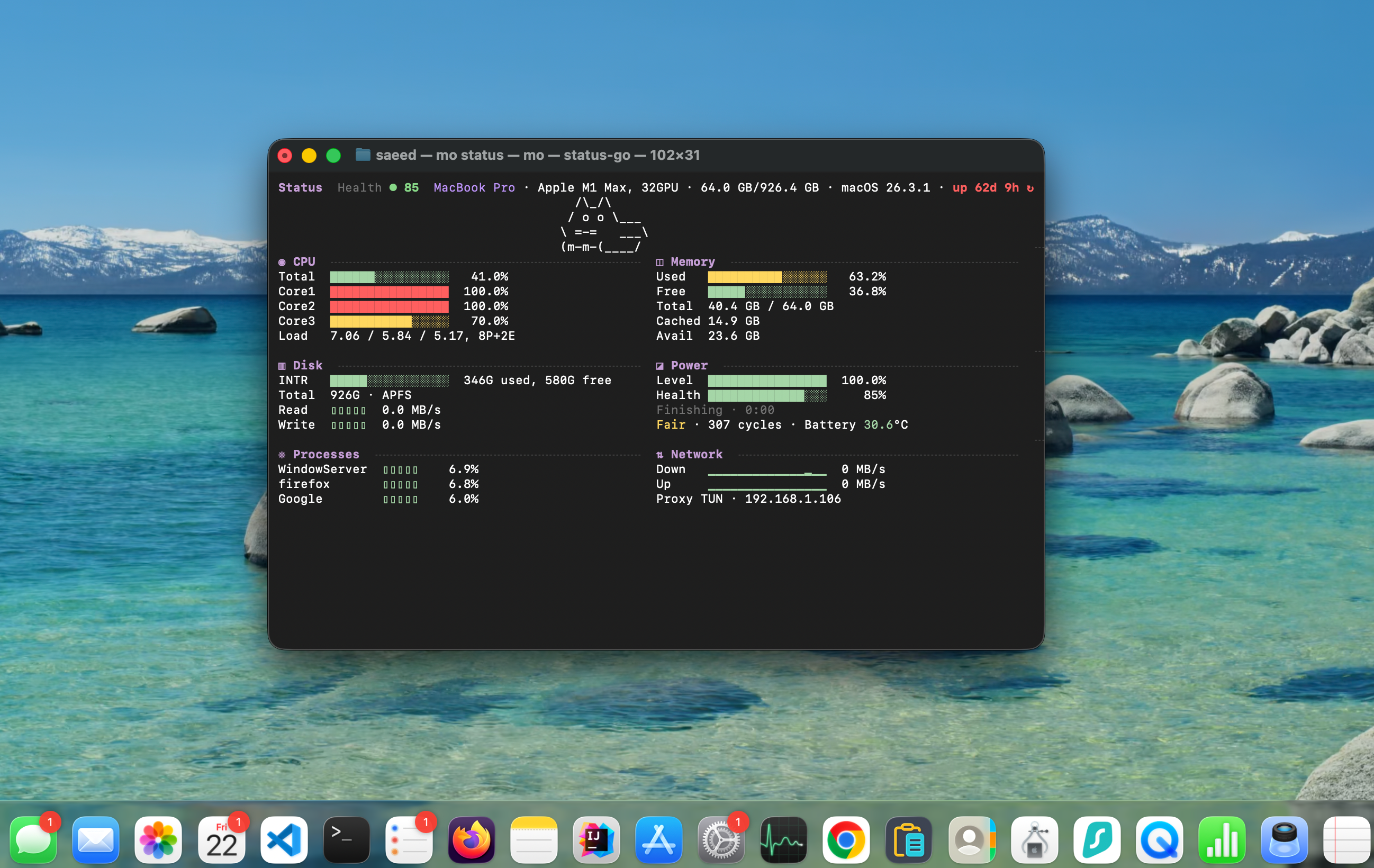
Use the native Mole app instead of the CLI. It costs $19 once, with free updates after that and no subscription. It adds a visual disk map, a live system dashboard, and an easier way to manage apps and startup items, on top of everything the free CLI already does.
Pair that with Malwarebytes Free for scanning, and you are done. This is the path I picked, since I wanted the visual tools without touching Terminal every time. Our full review of the Mole app breaks down every feature if you want the details.
Either path, the malware scanning half is the same: Malwarebytes Free, at no cost.
What you gain and what you lose
Switching is not free of trade offs. Here is the honest version.
What you gain
- No more yearly or monthly charge
- A cleaning tool built on an open source project, so its core logic is not hidden
- A visual disk map and live system stats, if you go with the Mole app
- Full control over what gets deleted, since Mole shows you the file list before anything happens
What you lose
- Real time malware protection. Malwarebytes Free only scans when you run it yourself, it does not watch your Mac in the background. To be fair, CleanMyMac's scanner works the same way, so this is not really a downgrade, just something to know.
- One single app for everything. You are now running two apps instead of one. For most people this is a minor inconvenience, not a dealbreaker.
Who should stay on CleanMyMac
This switch is not the right move for everyone, and I want to be upfront about that.
If you want one polished app that does everything, including background malware protection and a duplicate finder, and you would rather pay for dedicated support than piece together two free tools yourself, CleanMyMac is still a reasonable choice. You are paying for convenience and a single point of contact if something goes wrong.
How to actually switch
- Back up first. Before uninstalling anything, make sure Time Machine or another backup is current.
- Uninstall CleanMyMac properly. Use CleanMyMac's own uninstaller if it has one, or a tool like AppCleaner, so old preference files and leftovers do not stick around.
- Install Mole. Pick the CLI with Homebrew or the curl script, or buy the native app, whichever path fits how you work.
- Install Malwarebytes Free from their official site and run your first scan.
- Cancel your CleanMyMac subscription in your MacPaw account, or request a refund if you are still inside their return window.
FAQ
Is this switch really free?
Yes, if you use the Mole CLI instead of the app. The only cost is $19, one time, if you prefer the native Mole app with its graphical interface.
Is Malwarebytes Free actually enough protection?
For most everyday users, yes, when combined with macOS's own built in protections like Gatekeeper. It will not watch your Mac in real time on the free tier, so run a scan every so often rather than assuming it is working in the background.
Does Mole scan for malware at all?
No. Mole focuses on cleaning, uninstalling, disk space, and system monitoring. That is exactly why this setup pairs it with Malwarebytes.
Can I switch back to CleanMyMac later if I change my mind?
Yes. Nothing about this setup locks you in. You can reinstall CleanMyMac any time.


Leave a Comment