Cleaning & Maintenance
Mole Now Has a Real Mac App. Here's What It Does and What It Costs

If you've used Mole before, you probably know it as a free command-line tool. You typed a command, it cleaned up your Mac, and that was it. No windows or buttons. Just Terminal and a list of files it wanted to remove.
That's changed. Mole now has a native Mac app with a full graphical interface. You can click through its tools, see your disk space in a visual map, and monitor your CPU and memory in real time. The free command-line version is still available, and it's still free. The app is a separate paid product built on top of the same project.
Here's what the Mole app does, what it costs, how it compares with CleanMyMac, and whether it's worth paying for when the free CLI version is still available.
Why build a Mac app?
The simple answer is that not everyone wants to use Terminal.
The command-line version works well if you're comfortable typing commands, but many Mac users would rather open an app, see what's happening on screen, and click a button. A graphical interface also makes some of Mole's features easier to discover.
The good news is that nothing was taken away from the free version. If you already use the CLI and you're happy with it, you can keep using it at no cost. The native app is aimed at people who want a visual way to manage their Mac, along with some additional tools.
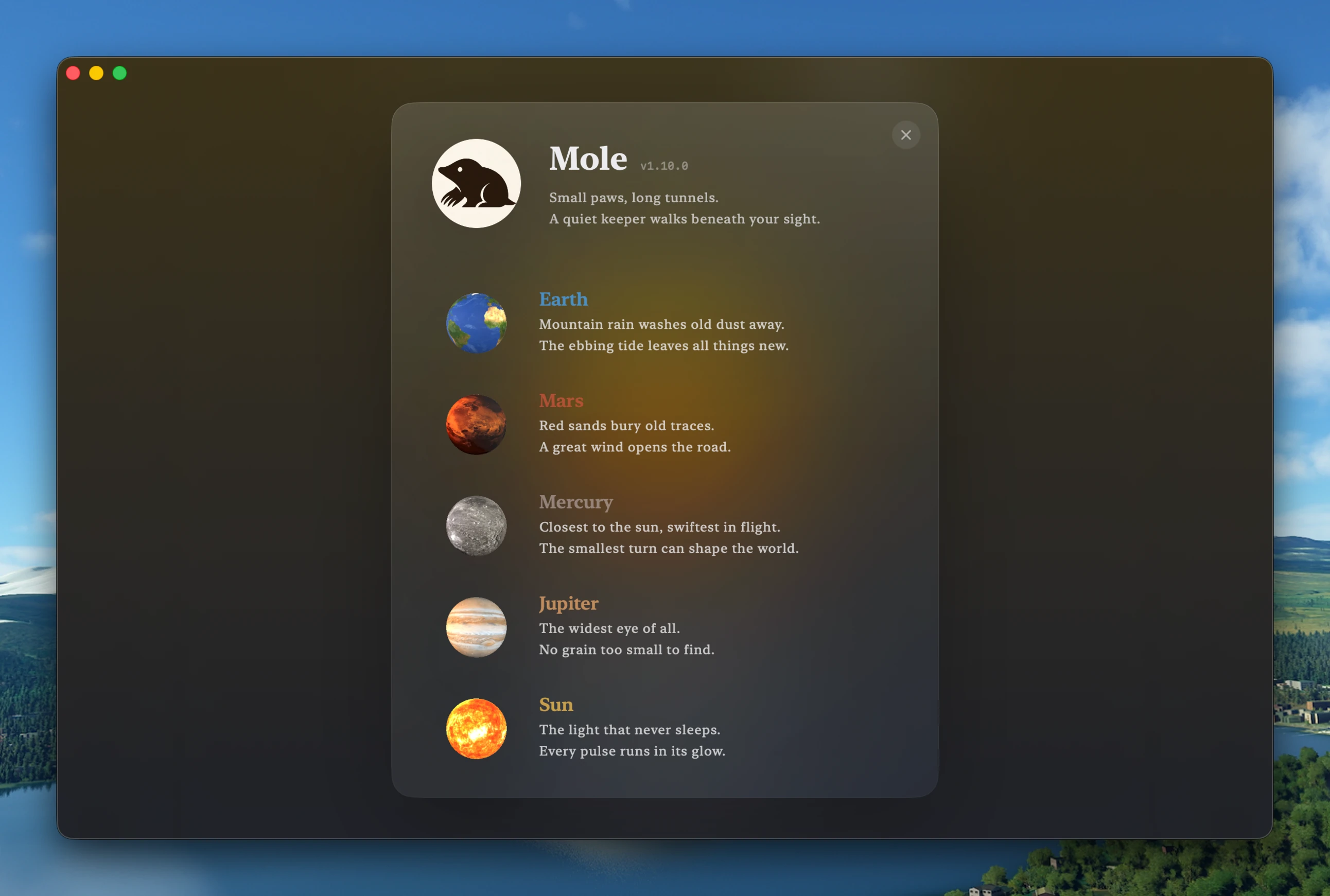
What does the Mole app do?
The app is organized into five main areas, with each one focused on a different task.
Clean handles the basic cleanup jobs. It can find caches, logs, and leftover files from apps and browsers. Before anything is removed, you can see what Mole wants to delete and how much storage space it could free up. You can also choose individual items instead of cleaning everything at once.
Software is for managing your installed apps. It can check for updates, show apps that launch at login or run in the background, and uninstall apps together with files they leave behind. Simply dragging an app to the Trash doesn't always remove every related file, so Mole tries to find those leftovers as part of the uninstall process.
Optimize groups several system maintenance tasks together. These include jobs such as clearing the Quick Look cache or rebuilding system metadata. Each task is relatively small, but running them individually from Terminal can be inconvenient. Mole puts them in one place and can request the required permissions without making you repeat the process for every task.
Analyze gives you a visual map of your Mac's storage. Instead of opening folders one at a time to find what's taking up space, you can see large files and folders at a glance. From the analysis view, you can also open files or send them to the Trash.
Status works as a live system monitor. It displays information about CPU, memory, GPU, disk activity, network usage, temperature, and battery status. There's also a menu bar version, which lets you keep an eye on your Mac without opening the main application.
How much does Mole cost?
The native Mole app costs $19 as a one-time purchase. There is no subscription.
One license covers two Macs, and updates are included for life. That means you don't have to pay again when a new version is released.
Mole vs. CleanMyMac
CleanMyMac is one of the most obvious alternatives to Mole, especially if you're looking for an all-in-one Mac cleanup tool.
Here's how the two compare:
| Mole app | CleanMyMac | |
|---|---|---|
| Price | $19 one time | Monthly subscrption |
| Interface | Native app | Native app |
| Malware scanning | No | Yes |
| Disk map | Yes | Yes |
| App uninstaller | Yes | Yes |
| Live system stats | Yes | Yes |
The biggest difference is the pricing model. CleanMyMac uses a subscription, while Mole costs $19 once and includes future updates.
CleanMyMac also has malware scanning, which Mole doesn't offer. If malware protection is important to you, you'll need a separate security tool alongside Mole.
Mole's advantage is that it brings several Mac utilities together without requiring an ongoing subscription.
Is Mole safe to use?
It's reasonable to be cautious with any application that can delete files from your Mac.
Mole shows you what it plans to remove before the cleanup takes place. You can review the files and their sizes and decide what you want to approve. When uninstalling an application, files are sent through the Trash rather than being immediately and permanently deleted, giving you an opportunity to recover them if necessary.
Mole may also ask for Full Disk Access and, in some cases, an administrator password. That's not unusual for a Mac cleanup utility. macOS restricts access to certain folders and system data, so an application needs additional permissions if it wants to scan those locations.
You can still use Mole without granting all of these permissions, but its access to certain files and folders will be limited.
Another point in Mole's favor is that the underlying command-line project has been open source for some time. Its core cleaning logic can therefore be inspected by the community rather than being completely hidden behind a closed-source application.
Should you buy the app or use the free CLI?
If you're already comfortable with Terminal, there's a good argument for sticking with the free CLI. It can handle the core cleanup tasks without costing you anything.
There's little reason to pay $19 simply to get the same cleaning functionality in a graphical window.
The native app becomes more interesting if you want a visual disk map, easier app management, login item controls, or a live system dashboard without having to use several different utilities.
If you're currently using a combination of tools such as CleanMyMac, AppCleaner, DaisyDisk, or iStat Menus, Mole is trying to cover much of the same ground in a single application.
For existing Mole CLI users, the app is mainly about convenience. For people who don't like Terminal, it makes Mole much easier to approach.
Want to try Mole without paying first? Our guide to installing Mole from the command line walks you through both the Homebrew and curl installation methods.
FAQ
Is the Mole app free?
No. The command-line version of Mole is free and open source. The native Mac app with its graphical interface is a one-time $19 purchase.
What's the difference between the Mole CLI and the app?
The CLI provides cleaning, app management, disk analysis, and monitoring through Terminal for free. The native app adds a graphical interface, visual disk map, live status dashboard, menu bar monitoring, and easier app management for a one-time fee.
Can I use the free CLI and skip the app?
Yes. The CLI remains free and is not being phased out. You can continue using it without buying the native app.
Does one Mole license cover more than one Mac?
Yes. One license covers two Macs.
Can I get a refund if I don't like the app?
Yes. Mole offers a 14-day refund window.
Is Mole a replacement for CleanMyMac?
It can replace many of the cleanup and system management features you might use CleanMyMac for. However, Mole does not include malware scanning, so users who want that feature will need a separate security solution.
Is the Mole app worth $19?
If you only need basic Mac cleanup and you're comfortable with Terminal, probably not. The free CLI already handles those jobs. If you want a graphical interface, visual disk analysis, app management, and live system monitoring in one app, the $19 one-time price is much easier to justify.
Ready to try the app version? Get Mole here.


Leave a Comment