Design & Image Tools
Sip
You can also get Sip on Setapp, together with 250+ other Mac apps in one subscription.
Get Sip on Setapp →Affiliate link: we may earn a commission if you subscribe, at no extra cost to you.
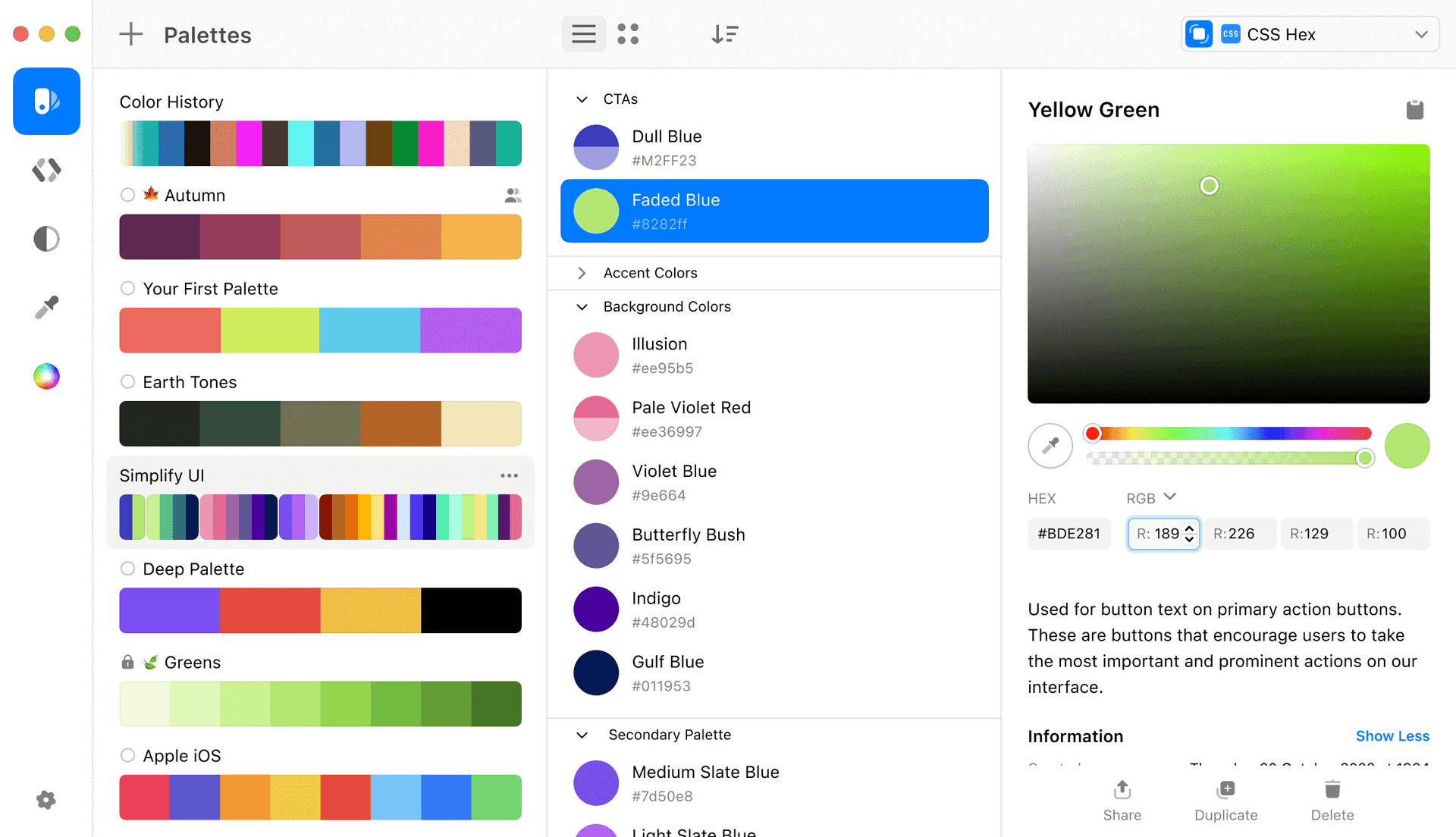
Sip is a modern color picker for Mac that makes it easy to organize colors and share them with your team. It lives in your menu bar, so you can pick any color on your screen in a click, save it to a palette, and send it to your design or coding tools. It was rebuilt from scratch and picks colors twice as fast as before. You can try it free for 15 days, with no credit card required.
Key Features
- Precise Color Picker: Pick any color on your screen with shortcuts. You can pick several colors in a row, build a palette as you go, and send colors straight to your tools.
- Menu Bar and Window App: Edit palettes quickly from the menu bar, or open the full window for a richer way to organize your projects.
- Palettes and Sub-Palettes: Sort colors in a flexible way, and add descriptions to colors and palettes so they are easy to find later.
- Contrast Checker: Find low-contrast text and background colors, fix them, and save the corrected colors as a new palette in one click.
- Color Blindness Preview: See how your colors look to people with Protanopia, Deuteranopia, Tritanopia, or Achromatopsia, right inside the app.
- Smart Profiles: Sip applies the right color profile when you pick from different environments, so colors do not come out mismatched.
- Smart Formats: Sip detects the app you are using and sets the right color format.
- Team Collaboration: Share and sync your colors and palettes between devices and with your team.
Frequently Asked Questions (FAQ)
Is Sip free?
No. Sip is a paid app with a 15-day free trial and no credit card required. A license is priced per device, starting at $29.99, and includes one year of updates. You can extend a license later to keep getting updates.
What macOS version does Sip need?
Sip needs macOS Sonoma or newer. Check the Sip website for the latest requirement before you download.
Where can I get Sip?
You can buy a license on the Sip website, or get it as part of a Setapp membership.
Can Sip check color contrast?
Yes. The contrast checker finds text and background colors that are hard to read, and lets you fix them and save the new colors as a palette.
Can I preview colors for color blindness?
Yes. You can switch between Protanopia, Deuteranopia, Tritanopia, and Achromatopsia modes to see how your palette looks in real time.
Can I share palettes with my team?
Yes. Sip lets you share and sync colors and palettes between devices and with other people on your team.
Is there a free color picker for Mac?
macOS includes Digital Color Meter for free, which shows the value of any color on your screen. It does not offer palettes or sharing, which is where an app like Sip helps.