Design & Image Tools
Zipic
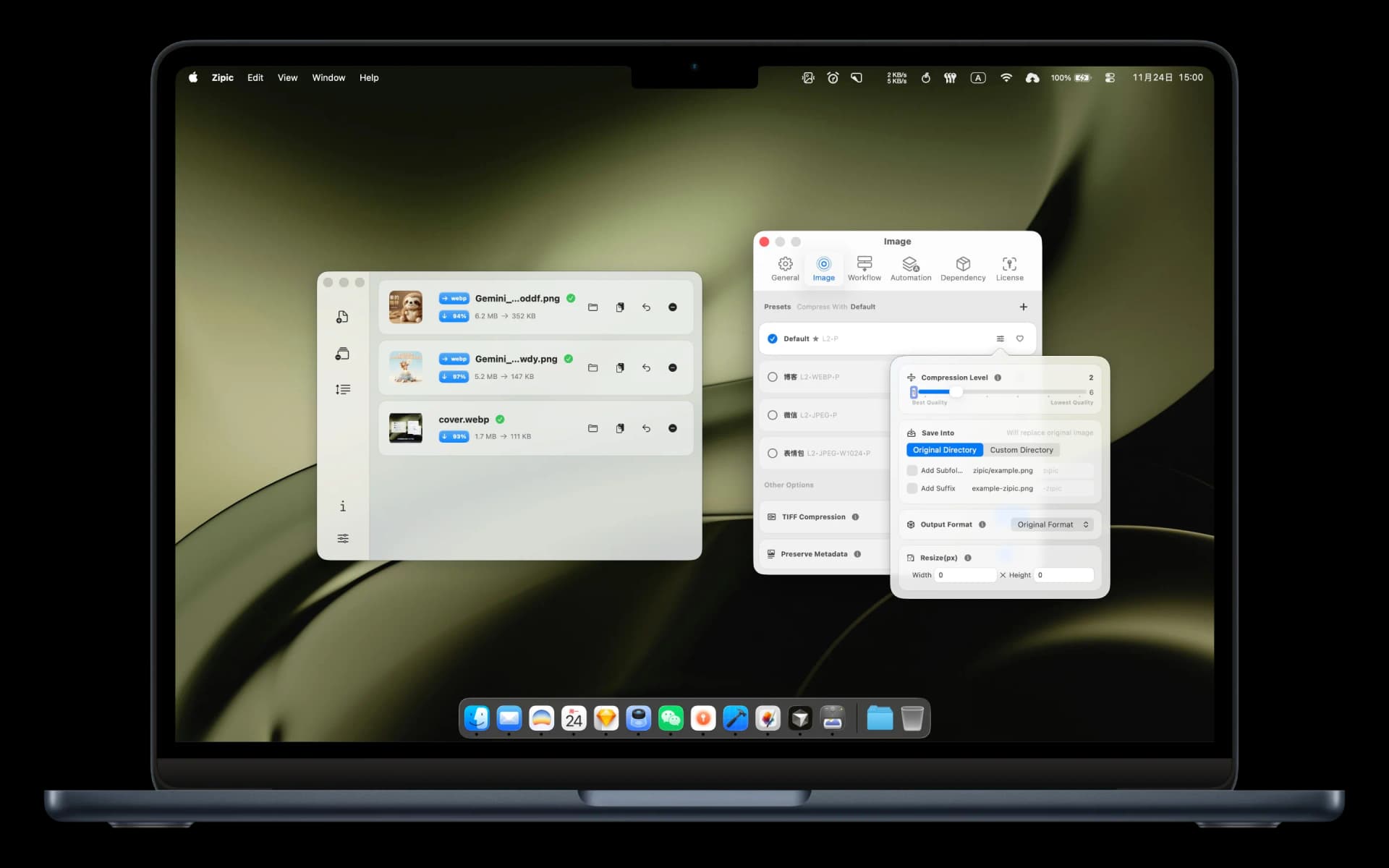
Zipic is an elegantly designed, native macOS application built for swift and flexible image optimization. It balances a high compression ratio with near-lossless quality preservation, allowing digital creators, developers, and designers to optimize individual assets or execute massive bulk processing workflows completely locally on their devices.
Key Features & Technical Capabilities
- Broad Format Ecosystem: Batch process and convert across an expansive list of formats including JPEG, PNG, WebP, HEIC, AVIF, TIFF, ICNS, JXL (JPEG XL), GIF, SVG, PDF, and APNG.
- Near-Lossless Architecture: Advanced compression engines reduce image sizes significantly (e.g., stripping a 403KB file down to 108KB) while keeping the output virtually indistinguishable from the high-resolution original.
- Seamless Operations: Work your way with a fluid drag-and-drop dashboard, global hotkeys, quick system menu access, and smart automation options.
- Custom Workflow Presets: Build tailor-made compression profiles for varying production scenarios and switch quality profiles with a single click.
- 100% Local Privacy: Native performance ensuring all rendering routines take place directly on your Mac machine—never relying on network transmissions or external server uploads.
Advanced Pro Automation
For power users, Zipic offers an enhanced Pro layer designed to streamline repetitive design production steps:
- Folder Monitoring: Watch specific local directories and automatically compress incoming assets using predefined rule targets.
- Notch Drop & Clipboard Monitoring: Drag assets directly into your MacBook camera notch zone or auto-compress image payloads sitting directly inside your system clipboard.
- DeepLink API Integrations: Hook into third-party scripts, terminal workflows, or automation pipelines via Zipic’s structural deep-linking capabilities.
Frequently Asked Questions (FAQ)
Is my image data secure when using Zipic?
Yes, entirely. Zipic operates with zero network dependencies for its core utilities. Because every single compression routine is executed completely locally within your macOS environment, your proprietary photos, UI mockups, and client assets are never uploaded to an external cloud infrastructure.
What are the limitations of the free tier compared to Zipic Pro?
Zipic runs on a freemium model. It grants you a 7-day full feature Pro trial to test advanced integrations. After the trial expires, the application reverts to a generous free tier allowing up to 25 image compressions per day using standard optimization profiles. You can permanently unlock the unrestricted Pro features via a single lifetime license purchase with updates included.
Does Zipic preserve image metadata like EXIF or color profiles?
Yes. While basic compression stripping options discard unnecessary overhead metadata to minimize file footprints, upgrading to the Pro layer provides fine-grained controls to selectively preserve vital EXIF data, location tags, and ICC color profiles for professional workflows.
What are the system requirements for Zipic?
Zipic is fine-tuned specifically for modern Apple environments and requires macOS 13 (Ventura) or newer to leverage native system rendering frameworks and theme integration profiles.